



 Shopping Cart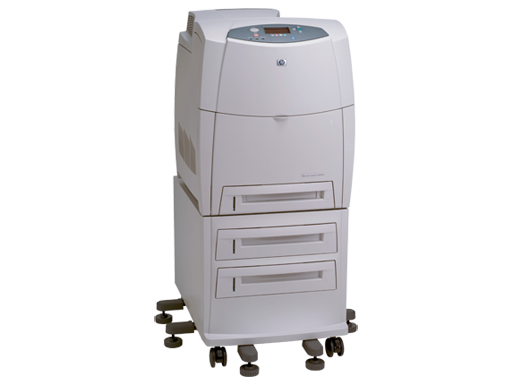


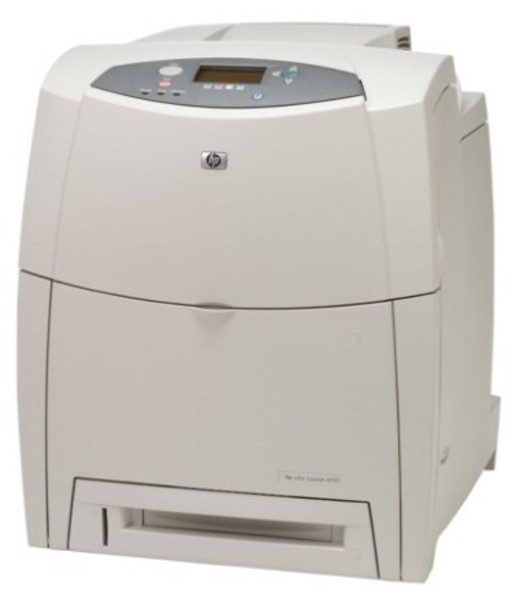
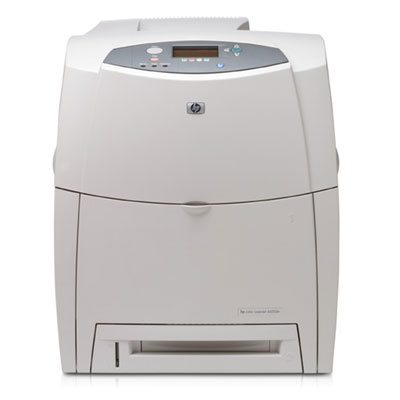

Product Details
Specifications
Accessories
Reviews
Product Details
Main Features
- Print Speed: 22 ppm Black & Color
- Resolution: 600 x 600 dpi
First page out in 15 seconds - Paper Handling: 1,600 Sheet Paper Capacity Consists of:
1 x 100 Sheet Multipurpose Tray
1 x 500 Sheet Input Tray
2 x 500 Sheet Paper Feeder - Features: Auto Duplex Unit
- Memory: 160 MB (544 MB Max.), 20 GB Hard Drive
- Connectivity: Parallel, USB and 10/100Base-TX Ethernet
- Environments: PC and Mac Compatible
All our reconditioned printers are clean, tested and working.
Specifications
General Specifications
| Interfaces/Ports | |
|---|---|
| USB | Yes |
| Parallel Port | Yes |
|
Storage | |
| Storage Size | 20 GB |
|
General Information | |
| Manufacturer | Hewlett-Packard |
| Manufacturer Part Number | Q3672A#AKV |
| UPC Code | D89362 |
| Brand Name | HP |
| Product Name | LaserJet 4650HDN Printer |
| Marketing Information |
Accelerate your business with proven color performance for workgroups in a simple, efficient design. |
| Product Model | 4650HDN |
| Product Type | Laser Printer |
| Manufacturer Website Address | http://www.hp.com |
| Product Line | LaserJet |
|
Memory | |
| Standard Memory | 288 MB |
|
Miscellaneous | |
| Additional Information |
Custom Media Sizes:
|
|
Network & Communication | |
| Ethernet Technology | Fast Ethernet |
| Ethernet | Yes |
|
Physical Characteristics | |
| Height | 40.7" |
| Width | 18.9" |
| Depth | 25.4" |
| Weight (Approximate) | 2320.0 oz |
| Form Factor | Desktop |
|
Media Handling | |
| Media Type | Plain Paper, Glossy Paper, Color Paper, Preprinted Paper, Letterhead, Recycled Paper, Tough Media, Laser Paper, Envelope, Transparency, Label, Card Stock |
| Media Handling | 1 x Multipurpose Tray 100 Sheet, 1 x Input Tray 500 Sheet, 2 x Feeder 500 Sheet, 1 x Output Bin 250 Sheet |
| Standard Input Media Capacity | 1600 sheets |
| Number of Input/Multipurpose Trays Installed | 4 |
| Media Size | Letter, Legal, Executive, A4, A5, B5 (JIS), Executive JIS, Envelope No. 10, Monarch Envelope, C5 Envelope, DL Envelope, B5 Envelope, Custom Size |
|
Technical Information | |
| Platform Supported | PC, Mac, SPARC |
| Maximum Mono Print Speed (ppm) | 22 |
| Maximum Color Print Speed (ppm) | 22 |
| Duplex Printing | Automatic |
| Maximum Print Resolution | 600 x 600 dpi |
| Print Color | Color |
|
Reliability | |
| Duty Cycle | 85000 pages per month |
|
Fonts & Emulation | |
| Language Emulation | PCL 6, PCL 5c, PostScript 3 |
 Download Manufacturer Specifications
Accessories

Reviews


Media settings on your printer determine how much ink will be used. Thinly coated glossy films require less ink, while plain paper soaks in more.
Use a lightly dampened cloth to clean the outside of your laser printer. To clean the inside, use a dry, lint-free cloth to make sure that no liquid enters the inner parts of the printer.
Most printers will beep once or twice during or after initialization. If it beeps more than that or beeps constantly, it is telling you that something is wrong. Most printers beep when out of paper or out of ink.
MY ACCOUNT
INFO & POLICIES
SHOP EASY
PAYMENT OPTIONS



