



 Shopping Cart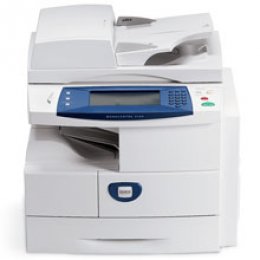

*** ALL TONERS AND SUPPLIES ARE IN STOCK AT DISCOUNTED PRICING , CALL +18882983095..
Printers do not include supplies - toners , drums (Imaging Units) (where applicable) , printer cables , manuals , consumables , trays (where applicable). Power cables are included. Drivers can be downloaded at www.hp.com. Please verify that drivers available are compatible with your software on HP’s site.
Product Details
Specifications
Accessories
Reviews
Product Details
Product Overview:
Introducing your new multifunction printer. The WorkCentre 4150 multifunction meets the challenges of today’s non-stop business world. It started with the basic requirement of every office: Powerful printing. Then added an array of tools to create a reliable and convenient multifunction printer ready to handle the needs of your busy workgroup.
Main Features:
-
Standard Function: Copier.
-
Copy/Print Speed: up to 45 ppm.
-
Max. Duty Cycle: up to 200,000 pages per month.
-
Paper Handling: 1 x 500 sheet tray.
Professional installation available - please call for pricing
Specifications
Accessories

Reviews


Remember to choose double-sided when copying multiple pages in order to save paper.
Do not store paper on its side as this will allow the edges to start curling.
Use the zoom feature to enlarge or reduce copies for when you need part of a document or want to change the size of the document.
MY ACCOUNT
INFO & POLICIES
SHOP EASY
PAYMENT OPTIONS



