



 Shopping Cart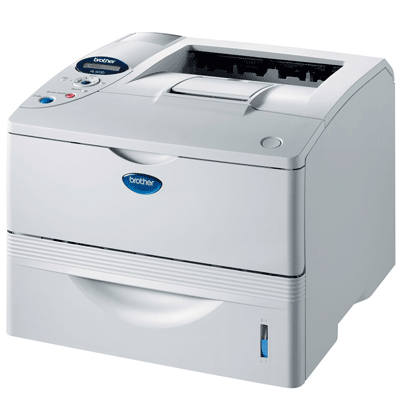

Product Details
Specifications
Accessories
Reviews
Product Details
Product Overview
The Brother HL 6050D Printer prints up to 25ppm monochrome and has excellent paper handling capabilities. Consistently delivering professional looking documents, the Brother HL6050D includes a built-in automatic duplex feature for two-sided printing. The HL 6050-D also features a large 600-sheet paper input capacity (expandable up to 1,100-sheets), an innovative control panel with a 3-color LCD display, and PC and Mac compatibility.
Main Features
- Up to 25ppm print speed
- Up to 1200x1200dpi resolution
- 32MB standard memory, upgradeable up to 160MB
- Built-in automatic duplex for 2-sided printing
- 600-sheet paper input capacity
- 500-sheet lower paper tray
- 100-sheet multi-purpose tray - 3-color LCD display with one-touch job cancel and reprint buttons
- PCL6, BR-Script 3, IBM Proprinter and Epson FX emulations
- Windows and Mac compatible
- Parallel and USB 2.0 interfaces standard
- Network upgradeable by adding optional internal Ethernet or wireless interfaces
All our reconditioned printers are clean, tested and working.
Specifications
Accessories

Reviews


Printer not working? The printer memory could be full and not getting prints or the prints may be stuck in the print queue. Turn-off the printer, wait a few seconds and turn it back on.
Handle inkjet papers like photographic papers - hold them by the edges to avoid oil deposits and fingerprints.
Set your printer for the proper paper type and weight. Fine art papers are heavier than ordinary inkjet or bond papers so set the printer to thicker paper settings.
MY ACCOUNT
INFO & POLICIES
SHOP EASY
PAYMENT OPTIONS



