Contact Us
FAQ |
We will match any price
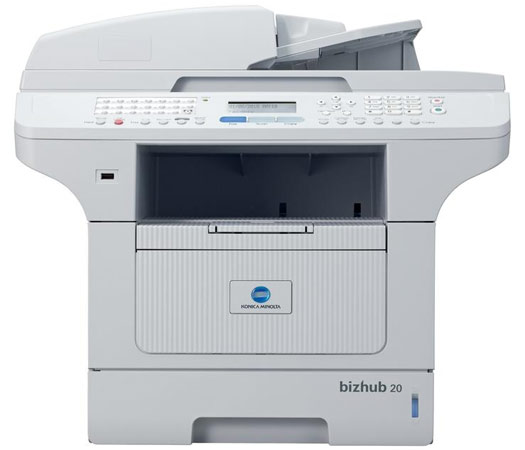
Konica Minolta Bizhub 20 MFP Monochrome Printer
Konica Minolta Bizhub 20 MFP Monochrome Printer customers choose us for our low prices

Konica Minolta Bizhub 20 MFP Monochrome Printer

  • Printer
  • Copier
  • Scanner
  • Fax
  • Monochrome

Model No.:A32R012

Condition:New

Availability: Out Of Stock

Shipping:Ask About Free Shipping!

The Bizhub 20 all-in-one printer, copier, scanner, fax from Konica Minolta is all about business. The Konica Bizhub 20 Printer is a compact, lightweight all in one that was built to streamline your workflow with multi-destination scanning, auto reverse document feeding, and fast 32 ppm output.

1 1 N/A N/A
Product Image Konica Minolta Bizhub 20 MFP Monochrome Printer Konica Minolta 732-832-7744 310 Park Avenue Lakewood, NJ 08701

$539.00

Product Details

Specifications

Accessories

Reviews

Product Details

Product Overview

Eliminate the clutter and replace your outdated devices with an all in one printer scanner copier fax from Konica Minolta. The bizhub 20 was designed to do all that and more in one simple to operate machine. Imagine printing at 32 ppm and scanning to multiple destinations with the touch of a button.

Key Features:
  • 32 ppm in high-resolution B&W
  • 30,000 page monthly volume
  • Fast color scanning
  • Built-in Super G3 fax

 Other Features:

  • 32 ppm print/copy output in B&W to speed your output at times of peak demand
  • Fast color scanning to multiple destinations on the all-in-one printer scanner copier fax machine for easy file sharing and distribution
  • Built-in PCL6 and Postscript 3 emulation to fit any network environment
  • Built-in Super G3 fax transmission/reception, Internet faxing, PC faxing
  • Standard auto duplexing
  • 550-sheet maximum paper capacity for long-running output with less reloading
  • Direct printing from and scanning to USB thumb drives

Specifications

Accessories

Reviews

  • After installing a printer, go to the Windows dialog box and check the settings, so you won't be surprised by what happens the first time you print.

  • Paper jam? The best way to remove jammed paper is to gently pull the paper in the direction of the paper path - with power off, of course. Do not pull the paper backwards - you could damage your printer forever by doing so.

  • If debris is the primary cause of failures, toner is the primary cause of debris. All toner cartridges release a small amount of toner powder into the machine. This is why it's important to clean the machine when you change the cartridge.

* Images are for illustration purposes only.