



 Shopping Cart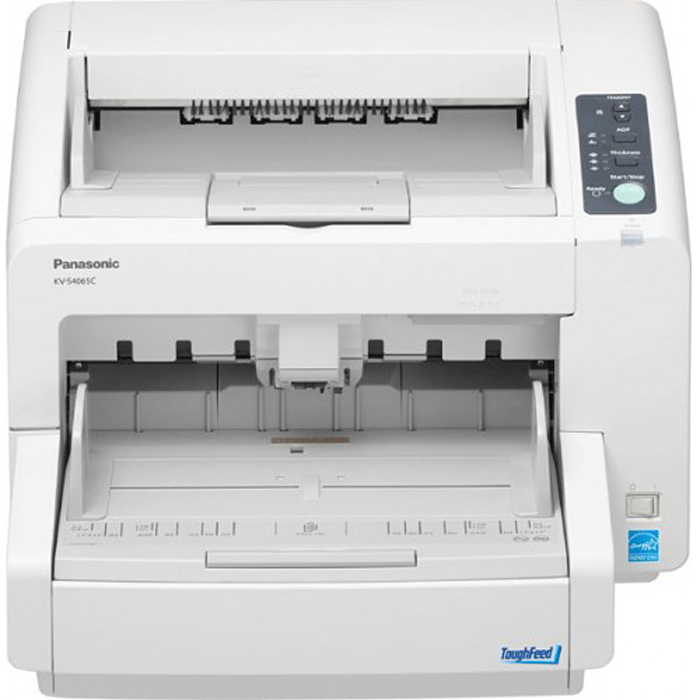



*** ALL TONERS AND SUPPLIES ARE IN STOCK AT DISCOUNTED PRICING , CALL +18882983095..
Printers do not include supplies - toners , drums (Imaging Units) (where applicable) , printer cables , manuals , consumables , trays (where applicable). Power cables are included. Drivers can be downloaded at www.hp.com. Please verify that drivers available are compatible with your software on HP’s site.
Images are for illustration purposes only and do not necessarily reflect the actual product.Product Details
Specifications
Accessories
Reviews
Product Details
Overview
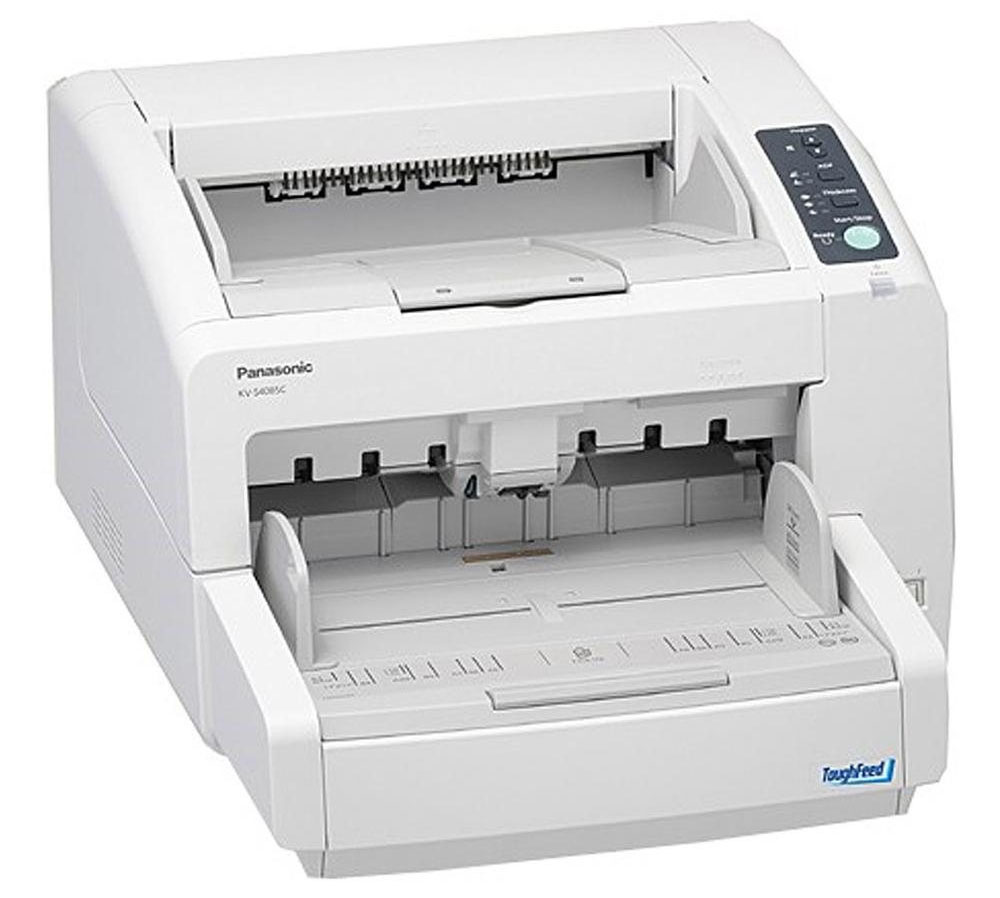
Panasonic's ToughFeed paper feed mechanism makes the Panasonic KV-S4065CL the solution to your document scanning needs. The Stapled Document Detection virtually eliminates stapled documents from being fed, the double-feed prevention system employs an ultrasonic sensor that detects the double feeding or originals during scanning and the Load Detection circuit allows the document hopper to automatically adjust its position to ensure reliable paper feeding. This innovative design has been proven effective even when the documents being scanned contain a mix of paper of different weights or thickness. Thanks to ToughFeed, optimum reliability is assured even when scanning high-volume documents. Despite a compact desktop design, the KV-S4065CL features a rugged, high durability design and reliable paper handling. With up to a 30,000 page per day scanning duty cycle that's at the top of its class, this versatile high-speed scanner provides the extra performance required for heavy scanning demands, easily handling a wide range of paper weights from 5.5lbs to 55.6 lbs.
Specifications
General Specifications
| Scanner Type | Duplex Sheetfeed ADF |
| Scanner Technology | Hybrid CIS |
| Color Scanning Speed | 65 ppm / 130 ipm (200 dpi, Letter, Portrait) |
| Binary Scanning Speed | 65 ppm / 130 ipm (200 dpi, Letter, Portrait) |
| Optical Resolution | 100 - 600 dpi (1 dpi Step) |
| Automatic Detection | Ultrasonic Double-Feed Detection |
| Compression | JPEG (Color / Grayscale) |
| Image Output | MultiStream, Binary Mode, Grayscale Mode, Color Mode |
| Tonal Gradation | Dither, Error Diffusion, Grayscale (8 bit), Binary |
| ADF Capacity | 300 Sheets |
| Document Size | Minimum |
| Document Weight | 5 - 56lbs (2.26 - 25.40kg) |
| Long Paper Mode | Up to 100" |
| Daily Duty Cycle | 30,000 Pages |
| Power Consumption | Scanning Mode |
| Operating Environment | Temperature |
| Storage Environment | Temperature |
| Interface | USB 2.0 |
| OS Support | Windows XP (32-bit), Windows Vista (32 / 64-bit), Windows 7 (32 / 64-bit) |
| Software | Image Capture Plus (KV-S4065CL), Kofax VRS Elite Workgroup (KV-S4065CL-V) |
| Drivers | TWAIN, ISIS |
| Dimensions (WxDxH) | 18.7x23x13" (47.49x58.42x33.02cm) |
| Weight | 55lbs (24.94kg) |
Accessories

Reviews


Scanning at a higher resolution will take longer.
If your scanner gives a ‘Scanner Access failed’ or a ‘Scanner not found’ message it may be because your scanner wasn't switched on before you started your computer.
Make sure the scanning glass is clean and has no dust on it before you start scanning.
MY ACCOUNT
INFO & POLICIES
SHOP EASY
PAYMENT OPTIONS



