



 Shopping Cart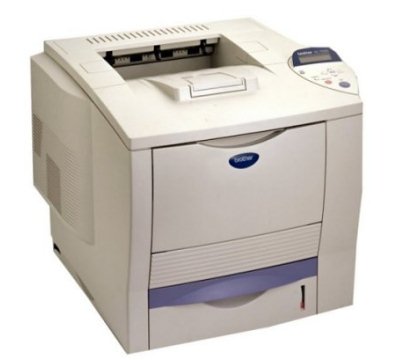

Product Details
Specifications
Accessories
Reviews
Product Details
Overview
The network-ready Brother HL 7050N is an office workhorse, producing high-quality monochrome output at up to 30ppm. The Brother HL7050N includes a wide variety of industry standard emulations. The Brother HL 7050-N offers a built-in 10/100 BaseT Ethernet print server, PC and Mac compatibility, 32MB of standard memory (upgradeable up to 288MB), and a 600-sheet paper input capacity that can be increased with optional lower paper trays.
Main Features
- Fast printing, up to 30ppm print speed with first page out in under 11 seconds
- Outstanding 1200x1200dpi print quality
- 32MB memory, upgradeable up to 288MB
- Flexible paper handling with 600-sheet paper input capacity, expandable up to 2,100 sheets
- 500-sheet universal lower paper tray
- 100-sheet multipurpose tray - Windows and Mac compatible with support for Windows 95/98/ Me, NT4.0/2000/XP and Mac OS 8.6 -9.2, OS X 10.1, 10.2.1
- Built-in 10/100 BaseT Ethernet print server
- USB, Parallel, and Serial interfaces standard
All our reconditioned printers are clean, tested and working.
Specifications
Accessories

Reviews


When power is applied, you should hear the print mechanism initialize and most printers have at least one light which will be illuminated when it is on.
Handle inkjet papers like photographic papers - hold them by the edges to avoid oil deposits and fingerprints.
Getting blank pages after you installed a new cartridge? Check that the sticker from the cartridge was properly removed. Alternatively, run the clean print head function to make sure all air bubbles are removed. Do not remove the cartridge once it has been installed.
MY ACCOUNT
INFO & POLICIES
SHOP EASY
PAYMENT OPTIONS



