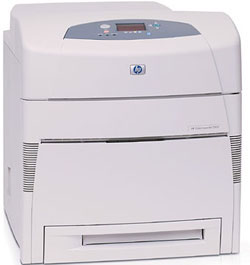
HP 5500DN Color Laser Printer RECONDITIONED
*Images may show options not included in price.
Product Details
Specifications
Accessories
Reviews
Product Details
Specifications
General Specifications
Print speed, black (best quality mode) Up to 21 ppm
Print speed, color (pages per minute) Up to 21 ppm
First page out, black 18 sec (ready state), 45 sec (powersave - about 8 hrs), 2 min (cold start or power-up)
First page out, color 18 sec (ready), 45 sec (powersave), 2 min (cold)
Processor speed 400 MHz
Recommended monthly volume, maximum 120,000 pages
Print technology In-line color laser, direct-to-page printing
Print quality, black/color 600 x 600 dpi
Paper trays, std - max 2-4
Input capacity, std - max 600 - 1600 Sheets
Standard envelope capacity 20 envelopes
Envelope feeder No
Output capacity, std - max 250 - 250
Duplex printing (printing on both sides of paper) None (not supported)
Media sizes, std. Letter, Legal, Executive, Ledger, 11 x 17 in (tabloid), envelopes (Monarch, No. 10)
Media sizes, custom Tray 1: 3 x 5 in to 12.3 x 18.5 in; Tray 2, 3, 4: 5 x 8 in to 11.7 x 17 in
Media types Paper (plain, glossy, film, recycled), envelopes, transparencies, labels, cardstock
Media weight, recommended 20lbs
Paper handling 100-sheet multi-purpose tray, 500-sheet input tray; Optional: 500-sheet input tray (up to 2 additional), stand
Memory, std - max 96 - 416 MB
Hard disk Optional, 10 GB
Print languages, std. HP PCL 5c, PCL 6, HP PostScript� Level 3 emulation
Connectivity, std. IEEE 1284-compliant bidirectional parallel port, Fast Infrared (FIR) port, 615N internal print server two open EIO slots
Connectivity, opt. Connectivity Card for Serial, LocalTalk, and USB connectivity
Accessories
Reviews
When power is applied, you should hear the print mechanism initialize and most printers have at least one light which will be illuminated when it is on.
What is Tray Capacity? Tray Capacity or Paper Capacity is the maximum number of pages that can be stored in the printer before you have to refill it.
Are your printer nozzles getting clogged? Try adding a humidifier to the room where you keep your printer.
PAYMENT OPTIONS
* Images are for illustration purposes only.




 Shopping Cart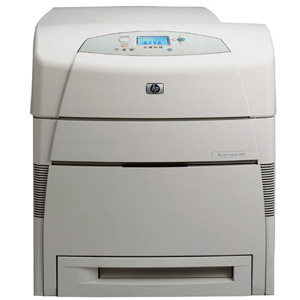



 Download Manufacturer Specifications





