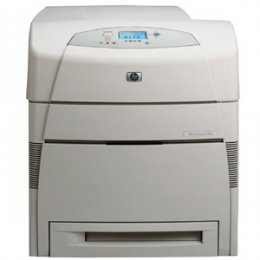
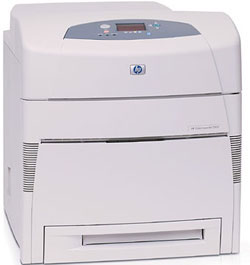
HP 5500DN Color Laser Printer RECONDITIONED
*Images may show options not included in price.

Product Details
Specifications
Accessories
Reviews
Product Details
Specifications
General Specifications
| Print speed, black (best quality mode) |
Up to 21 ppm |
| Print speed, color (pages per minute) |
Up to 21 ppm |
| First page out, black |
18 sec (ready state), 45 sec (powersave - about 8 hrs), 2 min (cold start or power-up) |
| First page out, color |
18 sec (ready), 45 sec (powersave), 2 min (cold) |
| Processor speed |
400 MHz |
| Recommended monthly volume, maximum |
120,000 pages |
| Print technology |
In-line color laser, direct-to-page printing |
| Print quality, black/color |
600 x 600 dpi |
| Paper trays, std - max |
2-4 |
| Input capacity, std - max |
600 - 1600 Sheets |
| Standard envelope capacity |
20 envelopes |
| Envelope feeder |
No |
| Output capacity, std - max |
250 - 250 |
| Duplex printing (printing on both sides of paper) |
None (not supported) |
| Media sizes, std. |
Letter, Legal, Executive, Ledger, 11 x 17 in (tabloid), envelopes (Monarch, No. 10) |
| Media sizes, custom |
Tray 1: 3 x 5 in to 12.3 x 18.5 in; Tray 2, 3, 4: 5 x 8 in to 11.7 x 17 in |
| Media types |
Paper (plain, glossy, film, recycled), envelopes, transparencies, labels, cardstock |
| Media weight, recommended |
20lbs |
| Paper handling |
100-sheet multi-purpose tray, 500-sheet input tray; Optional: 500-sheet input tray (up to 2 additional), stand |
| Memory, std - max |
96 - 416 MB |
| Hard disk |
Optional, 10 GB |
| Print languages, std. |
HP PCL 5c, PCL 6, HP PostScript� Level 3 emulation |
| Connectivity, std. |
IEEE 1284-compliant bidirectional parallel port, Fast Infrared (FIR) port, 615N internal print server two open EIO slots |
| Connectivity, opt. |
Connectivity Card for Serial, LocalTalk, and USB connectivity |
Accessories
Reviews
Printer not working? Check that the ink and toner are there and properly filled.
If you are not getting the results you expect, don't give up on your printer until you manually set the driver for the paper that you are using.
Be sure that you are printing on the 'right' side of the paper - that is - the coated side.
PAYMENT OPTIONS


* Images are for illustration purposes only.




 Shopping Cart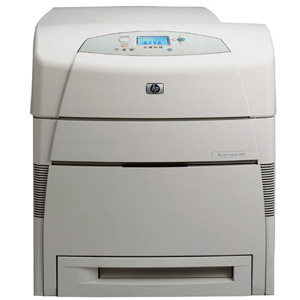


 Download Manufacturer Specifications


