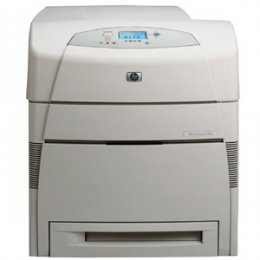
HP 5500DN Color Laser Printer RECONDITIONED
*Images may show options not included in price.

Product Details
Specifications
Accessories
Reviews
Product Details
Specifications
General Specifications
| Print speed, black (best quality mode) |
Up to 21 ppm |
| Print speed, color (pages per minute) |
Up to 21 ppm |
| First page out, black |
18 sec (ready state), 45 sec (powersave - about 8 hrs), 2 min (cold start or power-up) |
| First page out, color |
18 sec (ready), 45 sec (powersave), 2 min (cold) |
| Processor speed |
400 MHz |
| Recommended monthly volume, maximum |
120,000 pages |
| Print technology |
In-line color laser, direct-to-page printing |
| Print quality, black/color |
600 x 600 dpi |
| Paper trays, std - max |
2-4 |
| Input capacity, std - max |
600 - 1600 Sheets |
| Standard envelope capacity |
20 envelopes |
| Envelope feeder |
No |
| Output capacity, std - max |
250 - 250 |
| Duplex printing (printing on both sides of paper) |
None (not supported) |
| Media sizes, std. |
Letter, Legal, Executive, Ledger, 11 x 17 in (tabloid), envelopes (Monarch, No. 10) |
| Media sizes, custom |
Tray 1: 3 x 5 in to 12.3 x 18.5 in; Tray 2, 3, 4: 5 x 8 in to 11.7 x 17 in |
| Media types |
Paper (plain, glossy, film, recycled), envelopes, transparencies, labels, cardstock |
| Media weight, recommended |
20lbs |
| Paper handling |
100-sheet multi-purpose tray, 500-sheet input tray; Optional: 500-sheet input tray (up to 2 additional), stand |
| Memory, std - max |
96 - 416 MB |
| Hard disk |
Optional, 10 GB |
| Print languages, std. |
HP PCL 5c, PCL 6, HP PostScript� Level 3 emulation |
| Connectivity, std. |
IEEE 1284-compliant bidirectional parallel port, Fast Infrared (FIR) port, 615N internal print server two open EIO slots |
| Connectivity, opt. |
Connectivity Card for Serial, LocalTalk, and USB connectivity |
Accessories
Reviews
Be sure that you are printing on the 'right' side of the paper - that is - the coated side.
Looking to save paper and ink? Make sure to only print the pages you need of your document.
Is your printer smearing immediately after changing a cartridge? Check that the protective tape over the nozzles is completely removed.
PAYMENT OPTIONS


* Images are for illustration purposes only.




 Shopping Cart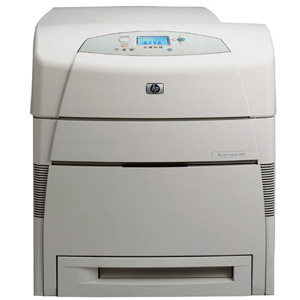


 Download Manufacturer Specifications


