



 Shopping Cart
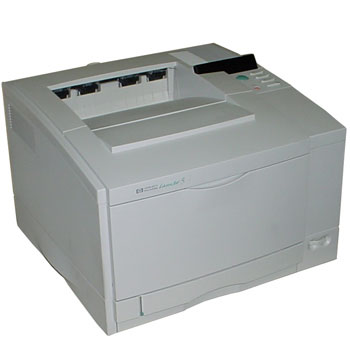
 HP 5 LaserJet Printer RECONDITIONED

Product Details
Specifications
Accessories
Reviews
Product Details
Main Features
- Fast: 10ppm black,
- 1200-dpi-equivalent image quality
- Monthly Volume of 30,000 pages
- 20MB RAM
- PC Compatible
- Environments: Windows 3.1, 95, 98, NT 4.0
Specifications
General Specifications
| Print Speed Black | 10 ppm |
| Print Colors | Yes |
| Processor | 40 MHz |
| Resolution | 1200 dpi |
| Resolution Technology | HP Image REt 1200 |
| Print Languages | Std. Enhanced HP PCL 5 with Color Opt. Adobe PostScript Level 2 |
| Monthly Volume | 30,000 pages |
| Paper Trays | Std. 1 Max. 2 |
| Input Capacity | Std. 250 sheets Max. 500 sheets |
| Envelope Input | Std. None Max. None |
| Media Sizes | Letter, A4, and executive (legal, tabloid, and A3 for black pages only) |
| Media Types | Plain paper and HP Color LaserJet 5/5M transparency film and glossy paper |
| Duplex Printing | No |
| Memory | Std. 20 MB Max. 84 MB |
| Scalable Typefaces | 35 Intellifont, 10 TrueType [plus 35 Adobe Type 1] |
| Connectivity | Std. IEEE 1284-compliant parallel, 1 open MIO slot, Opt. HP JetDirect 600N internal print servers and third pary interface cards |
| Automatic I/O Switching | Yes |
| Automatic Network Switching | Yes, with optional HP JetDirect internal print servers |
| Dimensions W x D x H | 24.4 x 19.3 x 14.8 in |
Accessories

Reviews


Your ink is not going onto the paper properly or you notice uneven coverage? Try aligning the print heads before you bring out the big guns.
Paper jam? The best way to remove jammed paper is to gently pull the paper in the direction of the paper path - with power off, of course. Do not pull the paper backwards - you could damage your printer forever by doing so.
Printer not working? The printer memory could be full and not getting prints or the prints may be stuck in the print queue. Turn-off the printer, wait a few seconds and turn it back on.
MY ACCOUNT
INFO & POLICIES
SHOP EASY
PAYMENT OPTIONS



* Images are for illustration purposes only.