



 Shopping Cart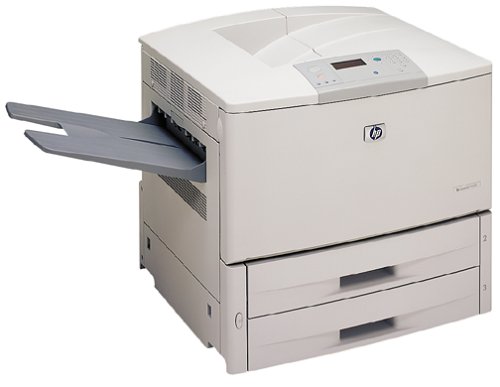

Product Details
Specifications
Accessories
Reviews
Product Details
Overview
The LaserJet 9000 series printer is HP's fastest, most versatile LaserJet designed for today's distributed work environments. The robust design provides a reliable, high-volume printing system capable of supporting the most demanding general office and high-volume transaction printing environments. Advanced network connectivity and scalable remote management reduce overall cost of ownership and increase printer uptime. Integrated software and solutions from HP and partners offer connectivity and compatibility for printing in more environments to accomplish true distributed printing.
All our reconditioned printers are clean, tested and working.
Specifications
General Specifications
 Download Manufacturer Specifications
Accessories

Reviews


Media settings on your printer determine how much ink will be used. Thinly coated glossy films require less ink, while plain paper soaks in more.
Fed up of re-sorting your printouts? For those inkjets that don't have a reverse print feature in the driver, some programs offer printing in reverse order.
Use a lightly dampened cloth to clean the outside of your laser printer. To clean the inside, use a dry, lint-free cloth to make sure that no liquid enters the inner parts of the printer.
MY ACCOUNT
INFO & POLICIES
SHOP EASY
PAYMENT OPTIONS



