



 Shopping Cart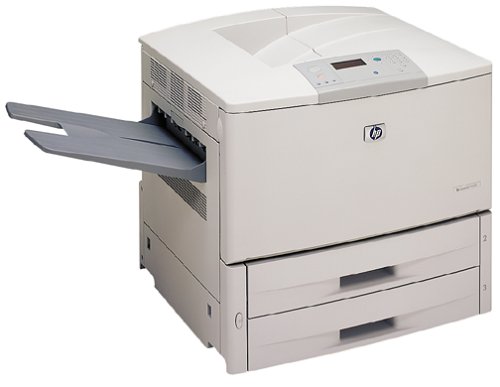

Product Details
Specifications
Accessories
Reviews
Product Details
Overview
The LaserJet 9000 series printer is HP's fastest, most versatile LaserJet designed for today's distributed work environments. The robust design provides a reliable, high-volume printing system capable of supporting the most demanding general office and high-volume transaction printing environments. Advanced network connectivity and scalable remote management reduce overall cost of ownership and increase printer uptime. Integrated software and solutions from HP and partners offer connectivity and compatibility for printing in more environments to accomplish true distributed printing.
All our reconditioned printers are clean, tested and working.
Specifications
General Specifications
 Download Manufacturer Specifications
Accessories

Reviews


Most printers have a built-in diagnostics program which can be very useful for troubleshooting problems and test-printing without a computer. They are usually initiated by pressing a button or two while turning on the printer.
Getting blank pages after you installed a new cartridge? Check that the sticker from the cartridge was properly removed. Alternatively, run the clean print head function to make sure all air bubbles are removed. Do not remove the cartridge once it has been installed.
Printer not working? Be sure the paper is installed correctly and there is enough of it.
MY ACCOUNT
INFO & POLICIES
SHOP EASY
PAYMENT OPTIONS



