



 Shopping Cart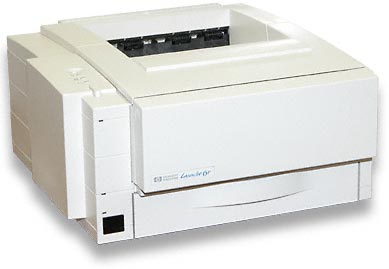

Product Details
Specifications
Accessories
Reviews
Product Details
Overview
ALL our products are cleaned, tested and working, and pass clean test copy.Manuals and Drivers can be downloaded for FREE from HP.COM.
-
The HP LaserJet 5P printer uses an HP LaserJet print cartridge with Microfine toner (product number C3903A). Its capacity is approximately 4,000 pages at 5% coverage.
-
The HP LaserJet 5P printer uses HP's Enhanced PCL 5 (Printer Command Language Level 5), a printer language that is standard for desktop laser printing in PC operating environments such as Microsoft (R) Windows and DOS.
Specifications
General Specifications
|
Maximum Duty Cycle |
12,000 pages per month |
| Pages per minute | 6 (maximum engine speed, software application dependent) |
| First Page Out | 26 seconds |
| Processor | 20-MHz Motorola ColdFire MCF 5102 (VL-RISC) processor |
| Resolution | True 600 x 600-dpi |
| Model | c3150a |
Accessories

Reviews


Getting blank pages after you installed a new cartridge? Check that the sticker from the cartridge was properly removed. Alternatively, run the clean print head function to make sure all air bubbles are removed. Do not remove the cartridge once it has been installed.
Printer not working? Be sure the paper is installed correctly and there is enough of it.
Is your printer smearing immediately after changing a cartridge? Check that the protective tape over the nozzles is completely removed.
MY ACCOUNT
INFO & POLICIES
SHOP EASY
PAYMENT OPTIONS



