



 Shopping Cart
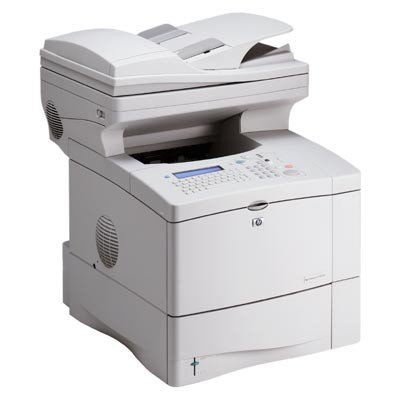
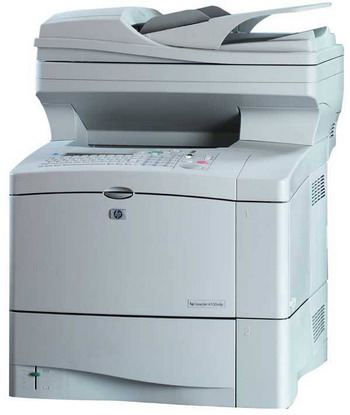
 HP 4100 MFP LaserJet Printer RECONDITIONED



Product Details
Specifications
Accessories
Reviews
Product Details
Main Features
- Functions: print, copy, scan and fax
- Convert paper documents to PDF, JPEG, TIFF and MTIFF e-mail attachments
- First page out: 12 seconds
- Print speed: 25 pages per minute in black and white
- 500 Sheet standard paper tray
- Maximum input capacity: 1,600 Sheets
- Print resolution:1200 dpi
- Monthly duty cycle: 150,000 pages
- 30 Sheet automatic document feed
- 250 MHz processor
Specifications
General Specifications
| Laser | Print Technology |
| Up to 25 ppm | Print Speed |
| 12 secs | First Page Out |
| 110 TrueType (80 built-in, 30 via HP FontSmart), HP FontSmart, Intellifont and built-in TrueType rasterizers | Typefaces |
| FastRes 1200 (1200-dpi quality), 1200 x 1200 dpi | Print Quality |
| Resolution Enhancement technology (REt) | Print Resolution Technology |
| HP PCL 5e (with GL-2), HP PCL 6, HP Postscript Level 3 emulation | Print Languages, Std |
| 150,000 pages | Duty Cycle, Monthly |
| Paper (plain, bond, recycled, preprinted, letterhead), envelopes, transparencies, labels, card stock | Media Types |
| Std:Letter, legal, executive, envelopes (no. 10, Monarch), Custom: 3 x 5 in to 8.5 x 14 in, tray 1; 5.8 x 8.2 in to 8.5 x 14 in, trays 2, 3 and 4 |
Media Sizes |
| IEEE 1284-compliant bidirectional parallel, HP Jetdirect 620n print server in EIO slot, hard disk drive in EIO slot | Connectivity, Std |
| 16 x 21 x 21 in | Dimensions (W x D x H) |
| 55 lb | Weight |
| Scan Resolution, Enhanced:600 x 600 dpi, Scan Resolution, Optical :600 x 600 dpi, Grayscale Levels :256 Color Scanning :Yes | SCANNER: |
| Copy Speed, Max, Black :25 cpm, Resolution, Black Text :600 x 600 dpi, Copier Settings :Number of Copies, Page Size, 2 on 1, Collate, Contrast, Quality, Background Removal, Zoom 25-400% in 1% increments, Fit to Page, Number Of Copies, Max :99, Reduce/Enlarge :25-400% (from glass/flatbed), 25-200% (from ADF) | COPIER: |
| Fax Speed :Up to 14.4k per sec, Memory Utilizes: 20 GB hard drive, Resolution, Best :200 x 100 dpi, PC Fax Interface :No, Speed Dialing, Max Numbers :100 numbers, Forwarding :Yes, Fax Blocking :Yes | FAX: OPTIONAL |
| c9148a | Model |
 Download Manufacturer Specifications
Accessories
*** ALL TONERS AND SUPPLIES ARE IN STOCK AT DISCOUNTED PRICING , CALL +18882983095
Reviews


Paper jam? The best way to remove jammed paper is to gently pull the paper in the direction of the paper path - with power off, of course. Do not pull the paper backwards - you could damage your printer forever by doing so.
Your ink is not going onto the paper properly or you notice uneven coverage? Try aligning the print heads before you bring out the big guns.
Store your laser printer in a properly ventilated area where temperature and humidity do not change frequently. Avoid areas with heavy dust buildup.
MY ACCOUNT
INFO & POLICIES
SHOP EASY
PAYMENT OPTIONS



* Images are for illustration purposes only.