



 Shopping Cart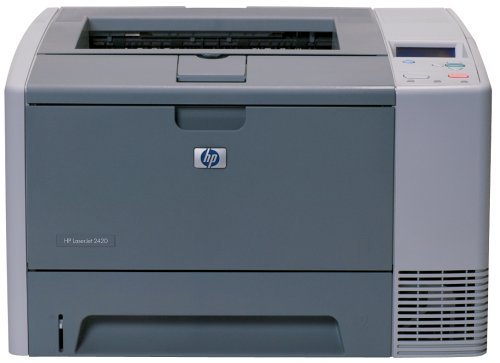



*** ALL TONERS AND SUPPLIES ARE IN STOCK AT DISCOUNTED PRICING , CALL +18882983095.
All reconditioned printers do not include supplies - toners , drums (Imaging Units) (where applicable) , printer cables , manuals , consumables, trays (where applicable). Power cables are included. Drivers can be downloaded from the manufacturers website. Please verify that drivers available are compatible with your software on the manufacturers site.
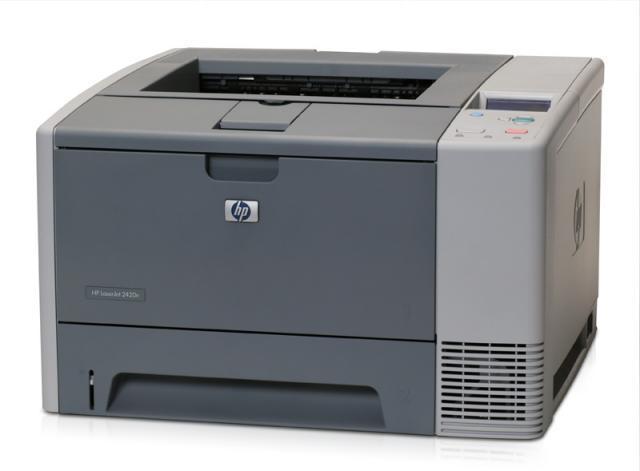
Images are for illustration purposes only and do not necessarily reflect the actual product.Product Details
Specifications
Accessories
Reviews
Product Details
Main Features
-
Enhance the impression you create with 1200 x 1200 ProRes image quality and HP Smart printing technology (using genuine HP supplies ensures availability of all HP printing features), enabling crisp, clear detail on a variety of media. HP supplies are easy to use and maintain for a time-saving, cost-effective solution.
-
Get more for your money with value-packed features for greater cost savings, up to 850-sheet input capacity for lower intervention, and print speeds up to 30 ppm makes the printer ideal for small and medium businesses.
-
This printer series is easy to use and maintain with an intuitive two-line graphical control panel. Industry-leading HP Jetdirect and HP Web Jetadmin options offer easy network configuration and remote management.
Specifications
General Specifications
| Speed | Up to 30 ppm |
| First Page Out | Less than 10 secs |
| Typefaces | 80 HP font set |
| Print Quality | Up to 1200 dpi |
| Print Resolution Technology | HP REt, ProRes 1200 |
| Print Languages, Std | HP PCL 6, HP PCL 5e, HP postscript level 3 emulation, direct PDF printing v 1.3 (with at least 128 MB of printer memory) |
| Duty Cycle, Monthly | 75,000 pages |
| Media Types | Paper (plain, preprinted, letterhead, prepunched, bond, recycled, color, rough), transparencies, labels, envelopes, cardstock, user-defined |
| Media Sizes | Std:Letter, legal, 8.5 x 13 in, executive, envelopes Custom:3 x 5 in to 8.5 x 14 in |
| Connectivity, Std | IEEE 1284-compliant bidirectional parallel, Hi-Speed USB 2.0, 1 open EIO slot |
| Dimensions (W x D x H) | 16.7 x 15.7 x 10.2 in |
| Weight | 36 lb |
| Model | Q5956A |
 Download Manufacturer Specifications
Accessories

Reviews




Allow ink to dry completely to avoid smudging. The time will vary based on the ink and paper quality used as well as the temperature and humidity conditions.
Position your laser printer on a sturdy and level surface, allowing enough space around the printer for air flow.
Are your printer nozzles getting clogged? Try adding a humidifier to the room where you keep your printer.
MY ACCOUNT
INFO & POLICIES
SHOP EASY
PAYMENT OPTIONS



