



 Shopping Cart
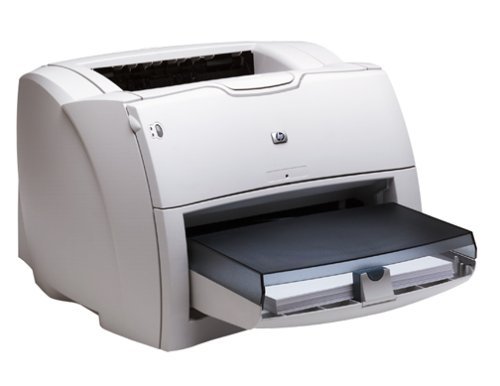
 HP 1150 LaserJet Printer RECONDITIONED

Product Details
Specifications
Accessories
Reviews
Product Details
Overview
The ideal printer for business professionals in any size office who need a desktop solution delivering value, compatibility and reliable black and white printing for their business documents.
Specifications
General Specifications
| Speed | Up to 18 ppm |
| First Page Out | 10 sec |
| Typefaces | 26 built-in fonts |
| Print Quality | 1200 dpi effective output |
| Print Resolution Technology | HP REt, HP FastRes 1200 |
| Print Languages, Std | HP PCL 5e |
| Duty Cycle, Monthly | 10,000 pages |
| Media Types | Paper, cardstock, envelopes, heavy media, labels, transparencies Media |
| Media Sizes | Std :Letter, legal, executive, index card, envelopes (No. 10, Monarch) Media Custom:3 x 5 in to 8.5 x 14 in |
| Connectivity, Std | USB 2.0, IEEE 1284-compliant bidirectional parallel |
| Dimensions (W x D x H) | 16 x 19 x 10 in |
| Weight | 18.6 lb |
 Download Manufacturer Specifications
Accessories

Reviews


Tight on office space? Consider buying a machine with networking capabilities which will allow multiple users to use one printer.
Save memory on your PC by choosing the Custom option when you install your printer, and picking just the software you want to install.
Printer not working? The printer memory could be full and not getting prints or the prints may be stuck in the print queue. Turn-off the printer, wait a few seconds and turn it back on.
MY ACCOUNT
INFO & POLICIES
SHOP EASY
PAYMENT OPTIONS



* Images are for illustration purposes only.