



 Shopping Cart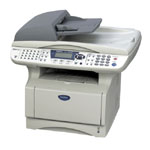

Product Details
Specifications
Accessories
Reviews
Product Details
Overview
This laser all-in-one includes automatic duplexing for 2-sided printing, copy output and receiving faxes which is a cost-savings benefit that any person who works out of their home office or any size business would appreciate and frequently use. Another key feature is the multi-purpose tray which can be used for printing envelopes, labels, or even on your company letterhead.
| Specifications | |
| Print Technology | B/W Laser Technology |
| Max. Black Print Speed (ppm) | 21pm Black |
| Print Resolution (maximum dpi) | Up to 2400x600 dpi |
| Standard Input Paper Capacity (sheets) | Standard Input Paper Capacity (sheets) |
| Optional Paper Capacity (sheets) | LT-5000 (250 sheets) |
| Multi-purpose Tray | Yes (up to 50 sheets) |
| Duplex Printing Capability | Yes |
| Standard Interface(s) | Parallel & USB Interfaces |
| Optional Interface(s) | NC-9100H (internal ethernet option) & NC-2200W (external wireless print server) |
| Standard Memory (MB) | 32MB Memory |
| Optional Memory (MB) | Yes |
| Printer Driver Compatibility | Windows® & Mac OS® |
| Emulation(s) | PCL-6 & BR-Script 3 |
| Secure Print Function | Yes |
| Maximum Monthly Duty Cycle | 20,000 printed pages |
| Faxing Capability | B/W Faxing |
| Fax Modem Speed | 33.6K bps Super G3 Fax Modem |
| Best Transmission Speed (sec) | Approx. 2 seconds per page |
| Caller ID Ready | Yes |
| Quick Scan (Memory Transmission) | Approx. 2 sec/page |
| Fax Forwarding | Yes |
| Automatic Redial | Yes |
| Dual Access | Yes |
| Fax Gray Scale | Mono: 64 |
| PC Fax Capability (send/receive) | Yes |
| Fax Page Memory | Up to 500 page fax memory |
| Copying Capability | B/W Copying |
| Max. Black Copy Speed (cpm) | 21cpm Black |
| Stand-alone Copying | Yes, No PC Required |
| Reduction/Enlargement | 25% - 400% |
| Scanning Capability | B/W & Color Scanning |
| Max. Interpolated Scan Resolution (dpi) | 9600 dpi |
| Optical Scan Resolution (dpi) | 600x2400 dpi |
| Input Color Scan Bit Depth | 48-bit |
| Scanner Driver Compatibility | Windows®/Mac OS® |
| "Scan To" feature | Email, Image, OCR, File |
All our reconditioned printers are clean, tested and working.
Specifications
Accessories

Reviews


Using heavy or stiff paper? Feed the paper one sheet at a time or try placing a sheet of plain copier or bond paper behind a heavy sheet.
Fed up of re-sorting your printouts? For those inkjets that don't have a reverse print feature in the driver, some programs offer printing in reverse order.
Most printers have a built-in diagnostics program which can be very useful for troubleshooting problems and test-printing without a computer. They are usually initiated by pressing a button or two while turning on the printer.
MY ACCOUNT
INFO & POLICIES
SHOP EASY
PAYMENT OPTIONS



