



 Shopping Cart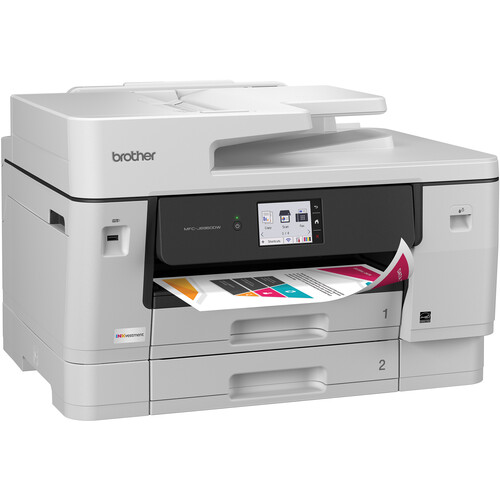



*** ALL TONERS AND SUPPLIES ARE IN STOCK AT DISCOUNTED PRICING , CALL +18882983095.
Printers do not include supplies - toners , drums (Imaging Units) (where applicable) , printer cables , manuals , consumables , trays (where applicable). Power cables are included. Drivers can be downloaded from the manufacturers website. Please verify that drivers available are compatible with your software on the manufacturers site.
Images are for illustration purposes only and do not necessarily reflect the actual product.Product Details
Specifications
Accessories
Reviews
Product Details
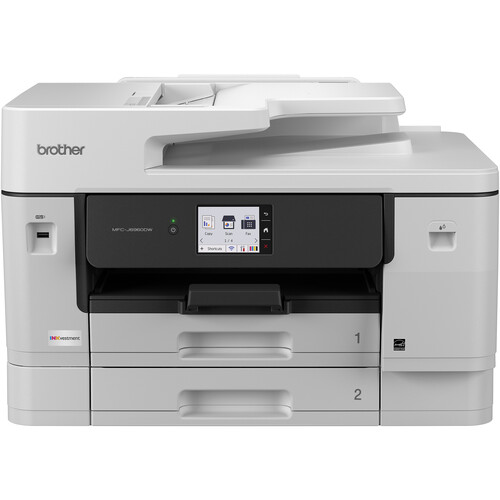
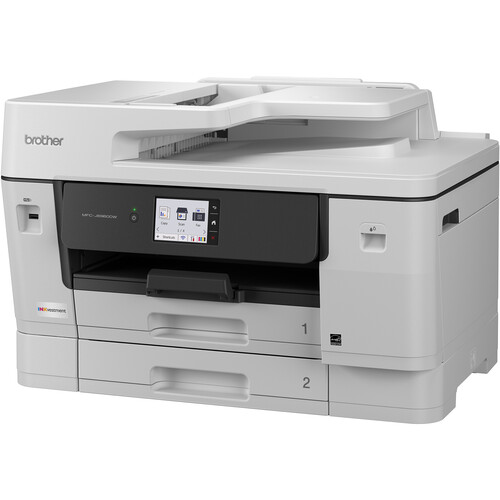
Main Features
- Print, scan, copy, fax
- Automatic two-sided printing
- Print Speed: up to 31 pages per minute
- Two 250 sheet trays
- 100 sheet multipurpose tray
- Ethernet, USB Connectivity
- 3.5 Inch Color Touchscreen
Specifications
General Specifications
| Printer type | Color inkjet multifunction |
| Functions | Print / Scan / Copy / Fax |
| Maximum paper size | A3 |
| Print resolution | Up to 1,200 × 4,800 dpi |
| A4 print speed | 31 ipm black / 30 ipm color |
| A3 print speed | Up to 7 ipm black / 6 ipm color |
| Duplex printing | Automatic 2-sided |
| Duplex scanning | Yes |
| ADF capacity | 50 sheets |
| Paper trays | 2 × 250 sheets |
| Multipurpose tray | 100 sheets |
| Maximum paper capacity | 600 sheets |
| Scanner glass | Up to 1,200 × 2,400 dpi |
| Interpolated scan resolution | Up to 19,200 × 19,200 dpi |
| Copy resolution | Up to 4,800 × 1,200 dpi |
| Fax speed | 33.6 kbps |
| Display | 3.5" (8.8 cm) color touchscreen |
| Memory | 512 MB |
| Connectivity | USB 2.0 / Gigabit Ethernet / Wi-Fi 2.4 & 5 GHz |
| Mobile printing | AirPrint / Mopria / Brother Mobile Connect |
| Recommended monthly volume | Up to 2,500 pages |
| Print technology | MAXIDRIVE inkjet |
Accessories

Reviews


If debris is the primary cause of failures, toner is the primary cause of debris. All toner cartridges release a small amount of toner powder into the machine. This is why it's important to clean the machine when you change the cartridge.
If your print settings are too dark, it could be detrimental to the life of the cartridge in the long run. It’s important that the density control of the machine be properly set to prevent the machine from pulling too much toner into itself.
Getting blank pages after you installed a new cartridge? Check that the sticker from the cartridge was properly removed. Alternatively, run the clean print head function to make sure all air bubbles are removed. Do not remove the cartridge once it has been installed.
MY ACCOUNT
INFO & POLICIES
SHOP EASY
PAYMENT OPTIONS



