



 Shopping Cart
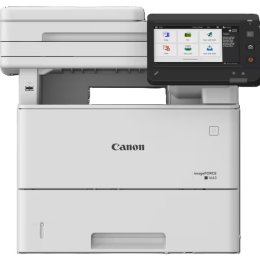
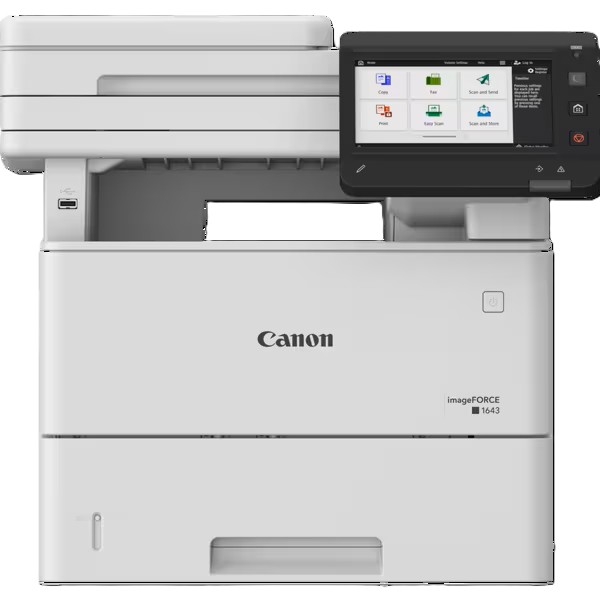
 Canon imageFORCE 1643 Multifunction Copier
*Images may show options not included in price.

*** ALL TONERS AND SUPPLIES ARE IN STOCK AT DISCOUNTED PRICING , CALL +18882983095.
Images are for illustration purposes only and do not necessarily reflect the actual product.Product Details
Specifications
Accessories
Reviews
Product Details
Main Features
- Print speeds of up to 43 pages per minute
- Warm Up Time: 4 sec or less; 20 sec or less from sleep
- Print, copy, scan and send
- Single-pass duplex automatic document feeder for high-speed two-sided scanning
- 7-inch full-color touchscreen
- Standard paper capacity: 650 sheets
- Maximum paper capacity of up to 2,300 sheets
- Print resolution up to 1200 × 1200 dpi
- Wi-Fi, Wi-Fi Direct, Gigabit Ethernet, and USB
- Supports mobile and cloud printing via Apple AirPrint, Mopria, Canon PRINT, and Microsoft Universal Print
Specifications
General Specifications
| Machine Type | A4 Monochrome Laser Multifunctional |
| Core Functions | Print, Copy, Scan, Send |
| Processor Speed | 1.6GHz Dual Core Processor and 800MHz Single Core Processor |
| Control Panel | 7 inch LCD Color Touch Screen |
| Memory | 2.0GB RAM |
| Storage | 64GB eMMC |
| Paper Input (Standard) | 650 sheets |
| Maximum Paper Capacity | 2,300 sheets (with Paper Feeder PF-C1 x3) |
| Paper Output Capacity | 150 sheets |
| Warm-up Time | 4 sec or less; 20 sec or less from Sleep |
| Dimensions | 480 x 518 x 458 mm |
| Weight | Approx. 24.5 kg |
| Print Speed | 43 pages per minute (A4), Duplex 36 images per minute |
| Resolution | Up to 1200 x 1200 dpi |
| Languages | UFR II, PCL6, PCL5, Adobe PostScript 3 |
| Copy Speed | 43 ppm simplex, 36 ipm duplex |
| First Copy Out | 6.3 sec platen / 6.4 sec ADF |
| ADF Type | Single-pass Duplex ADF |
| Scan Speed | 100 images per minute BW / 80 images per minute Color duplex (send) |
| Modem | Super G3 33.6 kbps |
| Network | TLS1.3, IPSec, WPA3, SNMPv3, IEEE802.1X |
| Max Consumption | 1400 W |
 Download Manufacturer Specifications
Accessories
*** ALL TONERS AND SUPPLIES ARE IN STOCK AT DISCOUNTED PRICING , CALL +18882983095
Reviews


Look at the cost of consumables for your copier before you buy - this will give you an idea of how much it will cost you to run your copier in the future.
Paper left in the feed tray of the copier for a long time can dry and curl causing jams.
Do not store paper which you will use in a copier or printer in a damp or moist atmosphere – such as a basement, or near a window or sink.
MY ACCOUNT
INFO & POLICIES
SHOP EASY
PAYMENT OPTIONS



* Images are for illustration purposes only.