



 Shopping Cart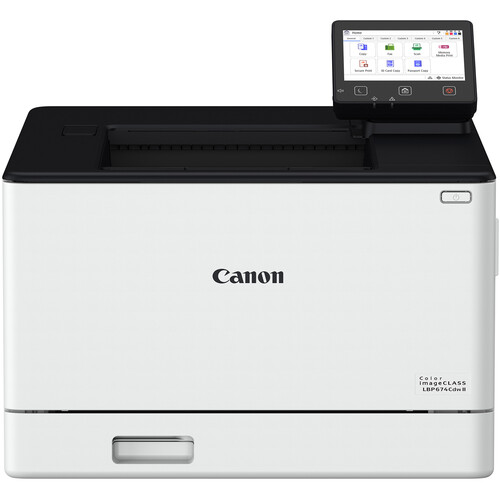



*** ALL TONERS AND SUPPLIES ARE IN STOCK AT DISCOUNTED PRICING , CALL +18882983095.
Printers do not include supplies - toners , drums (Imaging Units) (where applicable) , printer cables , manuals , consumables , trays (where applicable). Power cables are included. Drivers can be downloaded from the manufacturers website. Please verify that drivers available are compatible with your software on the manufacturers site.
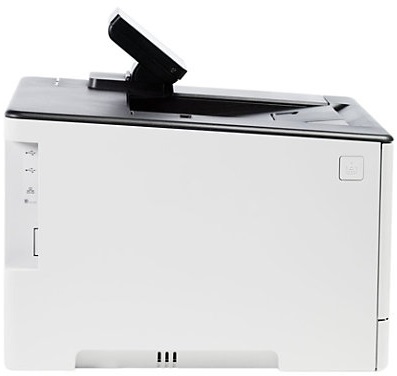
Images are for illustration purposes only and do not necessarily reflect the actual product.Product Details
Specifications
Accessories
Reviews
Product Details
Main Features
- Color printouts
- 35 pages per minute print speed
- Automatic duplex (2-sided) printing
- 1200 x 1200 dpi high-resolution output
- Wireless
- Ethernet
- USB connectivity
- Mobile printing with Canon PRINT, AirPrint, and Mopria
- 5-inch customizable color touchscreen
- 250-sheet paper tray + 50-sheet multipurpose tray
- Expandable paper capacity up to 850 sheets with optional cassette
Specifications
General Specifications
| Functions | |
| Printing Technology | |
| Color Type | |
| Print Resolution | |
| Media Sizes | |
| Wireless |
| Printing Technology | |
| Color Type | |
| Print Resolution | |
| Borderless Printing | |
| Duplex Printing | |
| Printer Language | |
| Print Speed (By Time) | |
| First Print Out Time | |
| Monthly Duty Cycle |
| Media Handling | |
| Media Sizes | |
| Paper Capacity |
| Data I/O | |
| Wireless | |
| Direct Printing | |
| Internal Memory | |
| OS Compatibility |
| Display Size | |
| Display Type | |
| Battery | |
| Input Power | |
| Power Consumption | |
| Certifications | |
| Dimensions (W x H x D) | |
| Weight |
| Package Weight | |
| Box Dimensions (LxWxH) |
 Download Manufacturer Specifications
Accessories

Reviews


Handle inkjet papers like photographic papers - hold them by the edges to avoid oil deposits and fingerprints.
If debris is the primary cause of failures, toner is the primary cause of debris. All toner cartridges release a small amount of toner powder into the machine. This is why it's important to clean the machine when you change the cartridge.
Printer not working? Check that the ink and toner are there and properly filled.
MY ACCOUNT
INFO & POLICIES
SHOP EASY
PAYMENT OPTIONS



