



 Shopping Cart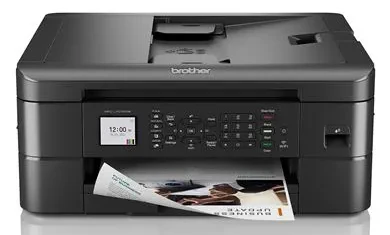



*** ALL TONERS AND SUPPLIES ARE IN STOCK AT DISCOUNTED PRICING , CALL +18882983095.
Printers do not include supplies - toners , drums (Imaging Units) (where applicable) , printer cables , manuals , consumables , trays (where applicable). Power cables are included. Drivers can be downloaded from the manufacturers website. Please verify that drivers available are compatible with your software on the manufacturers site.
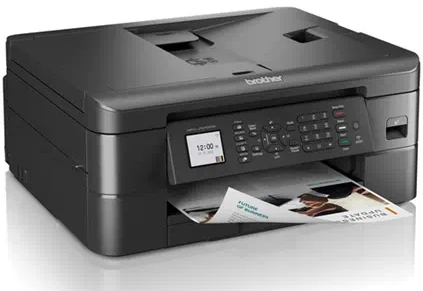
Images are for illustration purposes only and do not necessarily reflect the actual product.Product Details
Specifications
Accessories
Reviews
Product Details
Main Features
- Print, Scan, Copy, Fax
- Color Printing
- Automatic Two-Sided Printing
- Print Speed: Up to 17 pages per minute
- 150 sheet adjustable paper tray
- USB, WiFi Connectivity
- Display: LCD screen
Specifications
General Specifications
| Printer type | Colour inkjet all‑in‑one (Print/Scan/Copy/Fax) |
| Functions | Print, Scan, Copy, Fax |
| Print technology | Inkjet |
| Print speed (A4) | Up to 17 ppm (black) / 9.5 ppm (colour) |
| Print resolution | Up to 1200 × 6000 dpi |
| Automatic duplex | Yes |
| Display | 1.8″ colour LCD |
| Memory | 128 MB |
| Paper input capacity | 150‑sheet tray + 20‑sheet ADF |
| Paper output capacity | 50 sheets |
| ADF capacity | 20 pages |
| Supported paper sizes | A4, Letter, A5, A6, Photo sizes, envelopes |
| Scanner type | Colour flatbed + ADF |
| Scanner resolution | Up to 2400 × 1200 dpi optical |
| Fax modem speed | 14.4 Kbps |
| Duty cycle (monthly) | Up to 2,500 pages |
| Recommended monthly volume | 50–1,000 pages |
| Connectivity | Wireless 802.11, Wi‑Fi Direct, USB 2.0 |
| Mobile printing | AirPrint, Brother Mobile Connect, Mopria |
| Dimensions (approx) | 15.7″ × 13.5″ × 6.8″ |
| Weight (approx) | ~7.4 kg |
Accessories

Reviews


It is always better to use original branded ink cartridges to reduce chances of clogging, leaking and bleeding.
Preview and proofread your documents on the screen before sending them to print. This will save you a lot of paper and re-printing.
Set your printer for the proper paper type and weight. Fine art papers are heavier than ordinary inkjet or bond papers so set the printer to thicker paper settings.
MY ACCOUNT
INFO & POLICIES
SHOP EASY
PAYMENT OPTIONS



