



 Shopping Cart
 Brother MFC‑J1010DW MultiFunction Color Printer
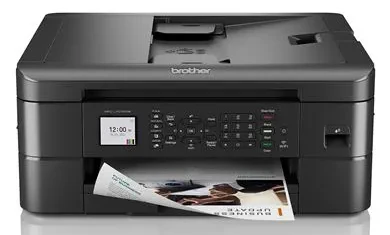


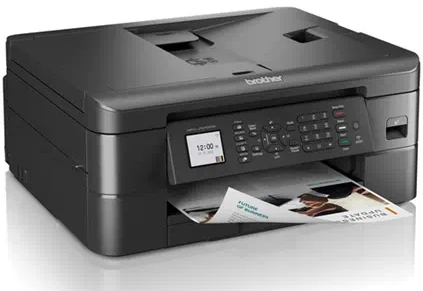

Images are for illustration purposes only and do not necessarily reflect the actual product.
Product Details
Specifications
Accessories
Reviews
Product Details
Main Features
- Print, Scan, Copy, Fax
- Color Printing
- Automatic Two-Sided Printing
- Print Speed: Up to 17 pages per minute
- 150 sheet adjustable paper tray
- USB, WiFi Connectivity
- Display: LCD screen
Specifications
General Specifications
| Printer type | Colour inkjet all‑in‑one (Print/Scan/Copy/Fax) |
| Functions | Print, Scan, Copy, Fax |
| Print technology | Inkjet |
| Print speed (A4) | Up to 17 ppm (black) / 9.5 ppm (colour) |
| Print resolution | Up to 1200 × 6000 dpi |
| Automatic duplex | Yes |
| Display | 1.8″ colour LCD |
| Memory | 128 MB |
| Paper input capacity | 150‑sheet tray + 20‑sheet ADF |
| Paper output capacity | 50 sheets |
| ADF capacity | 20 pages |
| Supported paper sizes | A4, Letter, A5, A6, Photo sizes, envelopes |
| Scanner type | Colour flatbed + ADF |
| Scanner resolution | Up to 2400 × 1200 dpi optical |
| Fax modem speed | 14.4 Kbps |
| Duty cycle (monthly) | Up to 2,500 pages |
| Recommended monthly volume | 50–1,000 pages |
| Connectivity | Wireless 802.11, Wi‑Fi Direct, USB 2.0 |
| Mobile printing | AirPrint, Brother Mobile Connect, Mopria |
| Dimensions (approx) | 15.7″ × 13.5″ × 6.8″ |
| Weight (approx) | ~7.4 kg |
Accessories

Reviews


Paper jam? The best way to remove jammed paper is to gently pull the paper in the direction of the paper path - with power off, of course. Do not pull the paper backwards - you could damage your printer forever by doing so.
Save memory on your PC by choosing the Custom option when you install your printer, and picking just the software you want to install.
Out of a color cartridge? Many printer drivers include an option to print using black only, or equivalent options to override the refusal to print.
MY ACCOUNT
INFO & POLICIES
SHOP EASY
PAYMENT OPTIONS



* Images are for illustration purposes only.