



 Shopping Cart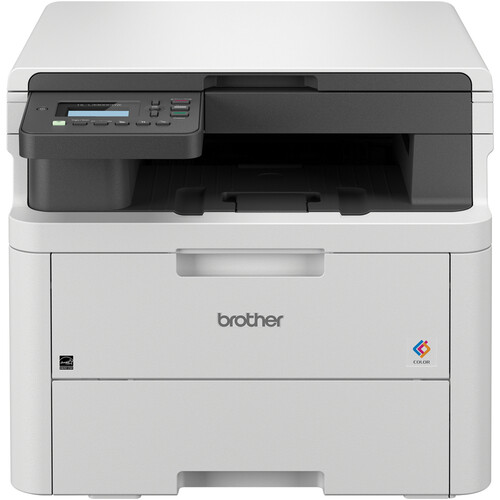



*** ALL TONERS AND SUPPLIES ARE IN STOCK AT DISCOUNTED PRICING , CALL +18882983095.
Printers do not include supplies - toners , drums (Imaging Units) (where applicable) , printer cables , manuals , consumables , trays (where applicable). Power cables are included. Drivers can be downloaded from the manufacturers website. Please verify that drivers available are compatible with your software on the manufacturers site.
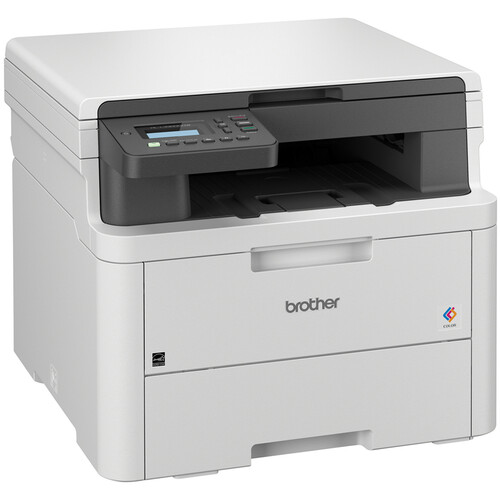
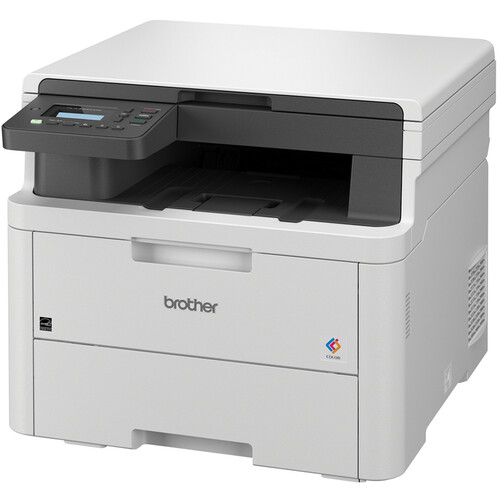
Images are for illustration purposes only and do not necessarily reflect the actual product.Product Details
Specifications
Accessories
Reviews
Product Details
Main Features
-
Print, copy and scan
-
Print Speed: up to 19 pages per minute
-
Maximum Resolution: 2400 x 600 dpi
-
Automatic duplex printing
-
250-sheet standard paper tray
-
WiFi, USB Connectivity
-
Advanced security features
Specifications
General Specifications
| Functions | Print, Copy, Scan |
| Printing Technology | LED (Laser-class) |
| Color Output | Yes |
| Print Speed | Up to 19 pages per minute (ppm) for both color and black & white |
| Print Resolution | Up to 2400 × 600 dpi |
| Duplex Printing | Automatic (two-sided printing) |
| Processor Speed | 800 MHz |
| Memory | 512 MB |
| Monthly Duty Cycle | Up to 40,000 pages |
| Recommended Monthly Volume | Up to 3,000 pages |
| Connectivity | Built-in dual-band Wi-Fi (2.4GHz / 5GHz), Wi-Fi Direct®, USB 2.0 |
| Mobile Printing | Apple AirPrint, Google Cloud Print, Mopria, Brother Mobile Connect |
| Display | 2-line × 20-character LCD display |
| Paper Handling | 250-sheet input tray, 1-sheet manual feed slot, 150-sheet output tray |
| Media Sizes Supported | A4, Letter, Legal, A5, A6, B5, B6, Executive, Folio, Custom sizes |
| Media Types Supported | Plain paper, recycled paper, thin/thick paper, bond, labels, envelopes, glossy paper |
| Dimensions (W × D × H) | 17.5" × 16.1" × 14" (445 mm × 409 mm × 356 mm) |
 Download Manufacturer Specifications
Accessories

Reviews


Flashing light on your printer? Each printer has a different reason for a blinking or orange light but in general it is due to a paper jam, an empty paper tray, a printer cartridge problem or a problem with the printer hardware.
Your printer is not a dumping ground. Don't pile documents or other things on top of it, as they could cause damage. Your printer could overheat and this could result in malfunctioning and even a reduction in the printer's life.
Don't be in a rush with your printer as you can easily damage a printer, or even get hurt, if you do not follow the instructions in the user manual.
MY ACCOUNT
INFO & POLICIES
SHOP EASY
PAYMENT OPTIONS



