



 Shopping Cart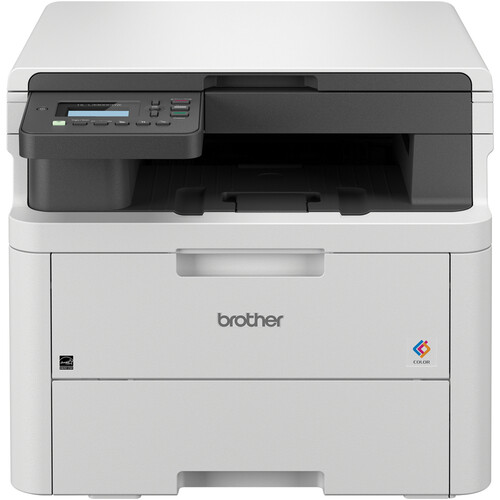



*** ALL TONERS AND SUPPLIES ARE IN STOCK AT DISCOUNTED PRICING , CALL +18882983095.
Printers do not include supplies - toners , drums (Imaging Units) (where applicable) , printer cables , manuals , consumables , trays (where applicable). Power cables are included. Drivers can be downloaded from the manufacturers website. Please verify that drivers available are compatible with your software on the manufacturers site.
Product Details
Specifications
Accessories
Reviews
Product Details
Main Features
-
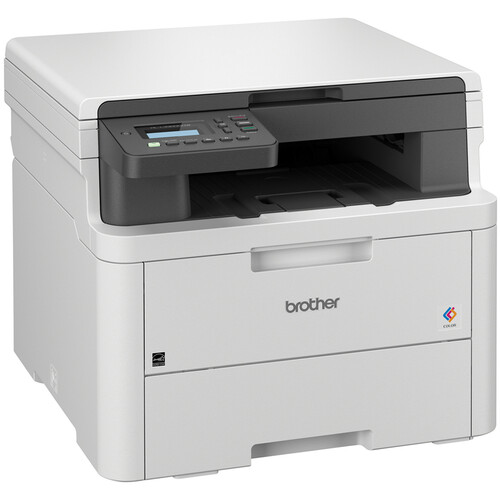
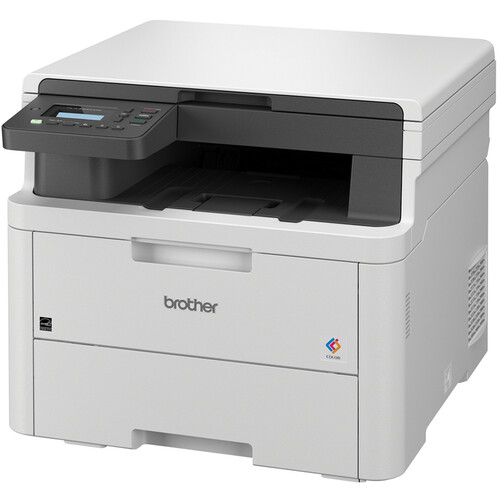
Print, copy and scan
-
Print Speed: up to 19 pages per minute
-
Maximum Resolution: 2400 x 600 dpi
-
Automatic duplex printing
-
250-sheet standard paper tray
-
WiFi, USB Connectivity
-
Advanced security features
Specifications
General Specifications
| Functions | Print, Copy, Scan |
| Printing Technology | LED (Laser-class) |
| Color Output | Yes |
| Print Speed | Up to 19 pages per minute (ppm) for both color and black & white |
| Print Resolution | Up to 2400 × 600 dpi |
| Duplex Printing | Automatic (two-sided printing) |
| Processor Speed | 800 MHz |
| Memory | 512 MB |
| Monthly Duty Cycle | Up to 40,000 pages |
| Recommended Monthly Volume | Up to 3,000 pages |
| Connectivity | Built-in dual-band Wi-Fi (2.4GHz / 5GHz), Wi-Fi Direct®, USB 2.0 |
| Mobile Printing | Apple AirPrint, Google Cloud Print, Mopria, Brother Mobile Connect |
| Display | 2-line × 20-character LCD display |
| Paper Handling | 250-sheet input tray, 1-sheet manual feed slot, 150-sheet output tray |
| Media Sizes Supported | A4, Letter, Legal, A5, A6, B5, B6, Executive, Folio, Custom sizes |
| Media Types Supported | Plain paper, recycled paper, thin/thick paper, bond, labels, envelopes, glossy paper |
| Dimensions (W × D × H) | 17.5" × 16.1" × 14" (445 mm × 409 mm × 356 mm) |
 Download Manufacturer Specifications
Accessories

Reviews


If you are not getting the results you expect, don't give up on your printer until you manually set the driver for the paper that you are using.
Printing photos? Make sure that they are of print quality - meaning 300dpi. Anything lower than this will appear pixelated and lower than photo quality.
After installing a printer, go to the Windows dialog box and check the settings, so you won't be surprised by what happens the first time you print.
MY ACCOUNT
INFO & POLICIES
SHOP EASY
PAYMENT OPTIONS



