



 Shopping Cart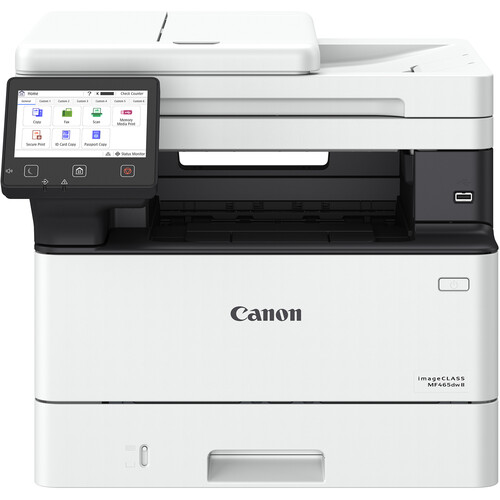

*** ALL TONERS AND SUPPLIES ARE IN STOCK AT DISCOUNTED PRICING , CALL +18882983095.
Printers do not include supplies - toners , drums (Imaging Units) (where applicable) , printer cables , manuals , consumables , trays (where applicable). Power cables are included. Drivers can be downloaded from the manufacturers website. Please verify that drivers available are compatible with your software on the manufacturers site.
Images are for illustration purposes only and do not necessarily reflect the actual product.Product Details
Specifications
Accessories
Reviews
Product Details
Main Features
-
Print Speed: 42 pages per minute (Letter) and about 40 pages per minute (A4)
-
Warm-up time of approximately 14 seconds
-
50 sheet duplex automatic document feeder
-
Two-sided scanning
-
1200 × 1200 dpi Resolution
-
Scan Speed: 100 ipm mono, 80 ipm color
-
Automatic double sided printing
-
Standard paper capacity: 250-sheet cassette + 100-sheet multipurpose tray
-
Connectivity: USB, Gigabit Ethernet, WiFi, mobile printing
-
Security and workflow features
-
5 inch color touchscreen control
Specifications
| Functions | |
| Printing Technology | |
| Color Type | |
| Configuration | |
| Print Resolution | |
| Media Sizes | |
| Scanner Type | |
| Scanner Maximum Resolution | |
| Wireless | |
| Power Source |
| Printing Technology | |
| Color Type | |
| Compatible Cartridges | |
| Print Resolution | |
| Borderless Printing | |
| Duplex Printing | |
| Printer Language | |
| Print Speed (By Time) | |
| First Print Out Time | |
| Monthly Duty Cycle |
| Media Handling | |
| Media Sizes | |
| Paper Capacity | |
| Special Media Support |
| Scanner Type | |
| Scanner Maximum Resolution | |
| Scan Modes | |
| Scan Speed | |
| File Formats |
| Copy Speed | |
| Duplex Copying | |
| Copy Resolution |
| Data I/O | |
| Wireless | |
| Direct Printing | |
| Internal Memory | |
| OS Compatibility |
| Display Size | |
| Display Type | |
| Power Source | |
| Battery | |
| Input Power | |
| Power Consumption | |
| Certifications | |
| Dimensions (W x H x D) | |
| Weight |
Accessories

Reviews


Your printer is not a dumping ground. Don't pile documents or other things on top of it, as they could cause damage. Your printer could overheat and this could result in malfunctioning and even a reduction in the printer's life.
Make sure to keep your printer up to date by downloading drivers and patches from the manufacturer's site. Most manufacturers provide driver updates for their units which include patches that add fonts or fix incompatibilities.
Don't move a print head unless the instructions direct it. You can damage the belt or other parts.
MY ACCOUNT
INFO & POLICIES
SHOP EASY
PAYMENT OPTIONS



