



 Shopping Cart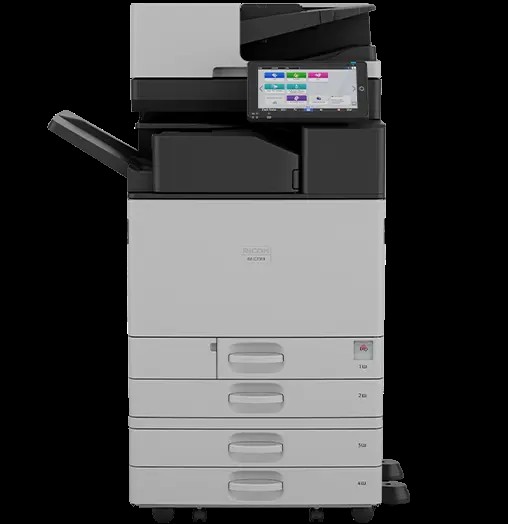



*** ALL TONERS AND SUPPLIES ARE IN STOCK AT DISCOUNTED PRICING , CALL +18882983095.
Printers do not include supplies - toners , drums (Imaging Units) (where applicable) , printer cables , manuals , consumables , trays (where applicable). Power cables are included. Drivers can be downloaded from the manufacturers website. Please verify that drivers available are compatible with your software on the manufacturers site.
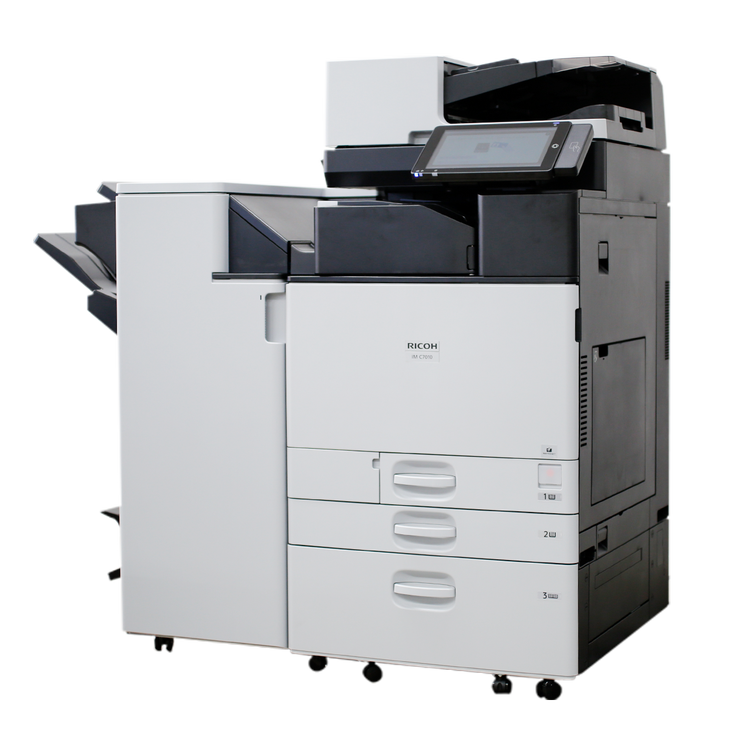
Images are for illustration purposes only and do not necessarily reflect the actual product.Product Details
Specifications
Accessories
Reviews
Product Details
Main Features
- Print, Copy, Scan, Fax
- Colored Prints
- Print Speed: up to 70 pages per minute
- Maximum Resolution: 1200 x 1200 dpi
- Paper Capacity: 4,850 pages
- Automatic two-sided printing
- 10.1" Smart Operation Panel
Specifications
General Specifications
| Printing Process | 4-Drum Method |
|---|---|
| Control Panel | 10.1" Smart Operation Panel |
| Color/Black & White | Color |
| Output Speed Copy/Print | 70 ppm B&W & FC |
| First Page Out Time | 2.2 seconds B&W 3.7 seconds Color |
| Warm-Up Time | 24 seconds |
| System Memory | 4 GB RAM Mainframe + 4 GB RAM Panel/256 GB SSD |
| Maximum Copy Quantity | Up to 999 copies |
| Duplexing | Automatic (Standard) |
| Document Feeder Type | Single Pass Document Feeder (SPDF) |
| Single Pass Document Feeder (SPDF) | Original Capacity: 220 sheets Original Size: 2" x 3.5" - 11.7" x 17" (A6-A3, B8-B4) Paper Weight: 38 – 220 g/m2 (A6 or larger); 64 – 220g/m2 (smaller than A6) |
| Zoom Range | 25% - 400% in 1% increments |
| Supported Paper Sizes | 1st Paper Tray: 8.5" x 11" (A4) 2nd Paper Tray: 5.5" x 8" - 12" x 18" (A6-A3, B4-B6), Envelopes Bypass: Up to 12" x 18", Envelopes Custom Sizes: Width: 3.5" - 12.6" (90 - 320 mm), Length: 5.8" - 49.6" (148 - 1260 mm) |
| Supported Paper Weights | Standard Trays: 16 - 80 lb./166 lb. Index (60 - 300 g/m2) Bypass Tray: 14 - 80 lb./166 lb. Index (52 - 300 g/m2) Duplex Unit: 14 - 45lb./142 lb. Index (52 - 169 g/m2) |
| Supported Paper Types | Plain, Recycled, Special, Colored, Letterhead, Cardstock, Pre-printed, Coated, Envelope, Label, Gloss |
| Standard Paper Capacity | 1,200 sheets (2 x 550 sheets + 100-Sheet Bypass Tray) |
| Maximum Paper Capacity | 4,850 sheets (w/Tandem LCT + Side LCT) |
| Standard Output Capacity | 500 sheets 8.5" x 11" (A4) or smaller; 250 sheets (B4) or larger |
| Maximum Output Capacity | 3,625 sheets |
Accessories

Reviews


Fed up of re-sorting your printouts? For those inkjets that don't have a reverse print feature in the driver, some programs offer printing in reverse order.
Your ink is not going onto the paper properly or you notice uneven coverage? Try aligning the print heads before you bring out the big guns.
It is always better to use original branded ink cartridges to reduce chances of clogging, leaking and bleeding.
MY ACCOUNT
INFO & POLICIES
SHOP EASY
PAYMENT OPTIONS



