



 Shopping Cart
 Ricoh ScanSnap iX2500 Scanner
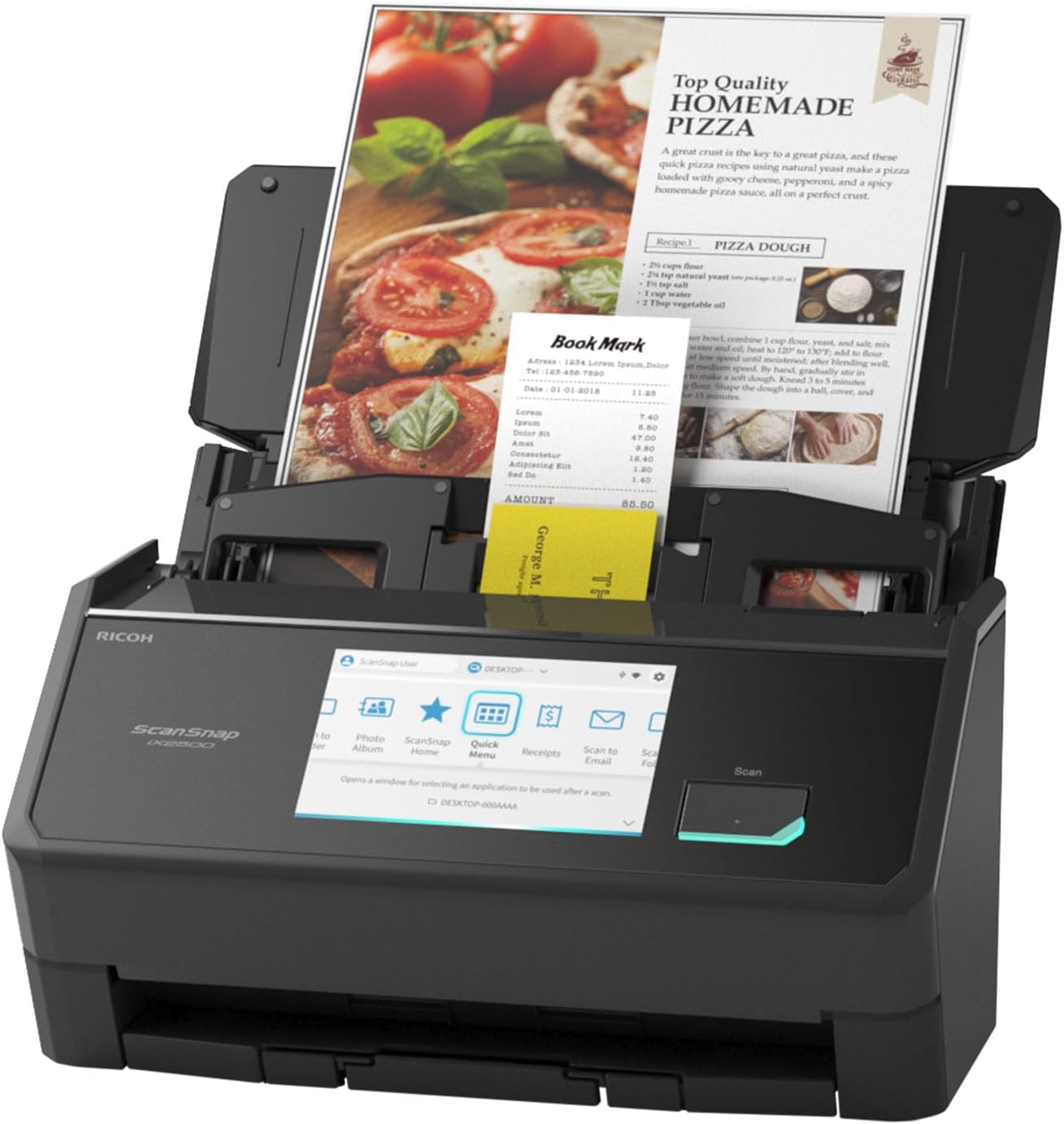

Images are for illustration purposes only and do not necessarily reflect the actual product.
Product Details
Specifications
Accessories
Reviews
Product Details
Main Features
- Available in black or white
- Scan speed: up to 45 pages per minute
- Optical Resolution: 600 dpi
- Double-sided scans
- 100 page document feeder
- 5" Color Touchscreen
- USB, WiFi Connectivity
Specifications
General Specifications
| Scanner Type | ADF (Automatic Document Feeder) / Manual Feed, Duplex | ||
|---|---|---|---|
| Scanning color mode | Color, Grayscale, Monochrome, Automatic (Color/Grayscale/Monochrome*1 detection) | ||
| Image sensor | CIS x 2 (Front x 1, Back x 1) | ||
| Light source | 3 Color LED (Red/Green/Blue) | ||
| Optical resolution | 600 dpi | ||
| Paper Weight (Thickness) | 40 to 209 g/m2 (11 to 56 lb) A8 or less: 128 to 209 g/m2 (34 to 56 lb) Cards: 0.76 mm or less (Compliant with the ISO7810 ID-1 type) (Includes embossed cards in landscape orientation) |
||
| ADF Capacity*10 | 100 sheets (A4, 80 g/m2 or 20 lb) | ||
| Interface | USB | USB 3.2 Gen1 / USB 3.1 / USB 3.0 / USB 2.0 / USB 1.1 (Connector Type: Type-C) | |
| Wi-Fi | IEEE802.11a/b/g/n/ac/ax Frequency band: 2.4 GHz / 5 GHz*11 |
||
| Wi-Fi Connection Mode | Access Point Connect Mode (Infrastructure mode)*12 Direct Connect Mode (Ad-hoc mode)*13 |
||
| LCD | 5 in. color IPS touch screen | ||
| Power Requirements | AC 100 to 240 V, 50/60 Hz | ||
| Operating Environment | Temperature: 5 to 35 °C (41 to 95 °F) Relative humidity: 20 to 80% (Non-condensing) |
||
| Dimensions (W x D x H) | Min.: 292 x 161 x 159 mm (11.50 x 6.34 x 6.26 in.) (storage size) Max.: 292 x 477 x 286 mm (11.50 x 18.78 x 11.26 in.) (when the extension and the stacker are extended) |
||
| Device Weight | 3.5 kg (7.7 lb) | ||
| Multifeed detection | Overlap detection (Ultrasonic sensor), Length detection | ||
 Download Manufacturer Specifications
Accessories

Reviews


Almost anything that speeds up scanning photos (other than buying a faster scanner) lowers the scan quality, so decide the level of quality you want, and then accept the amount of work that comes with it.
Bear in mind that in order to get the best quality, you should scan the original negative rather than the printed photo, if it's available.
Backlight correction, featured on some scanners, can automatically improve photos that were taken with a bright light behind the person.
MY ACCOUNT
INFO & POLICIES
SHOP EASY
PAYMENT OPTIONS



* Images are for illustration purposes only.