



 Shopping Cart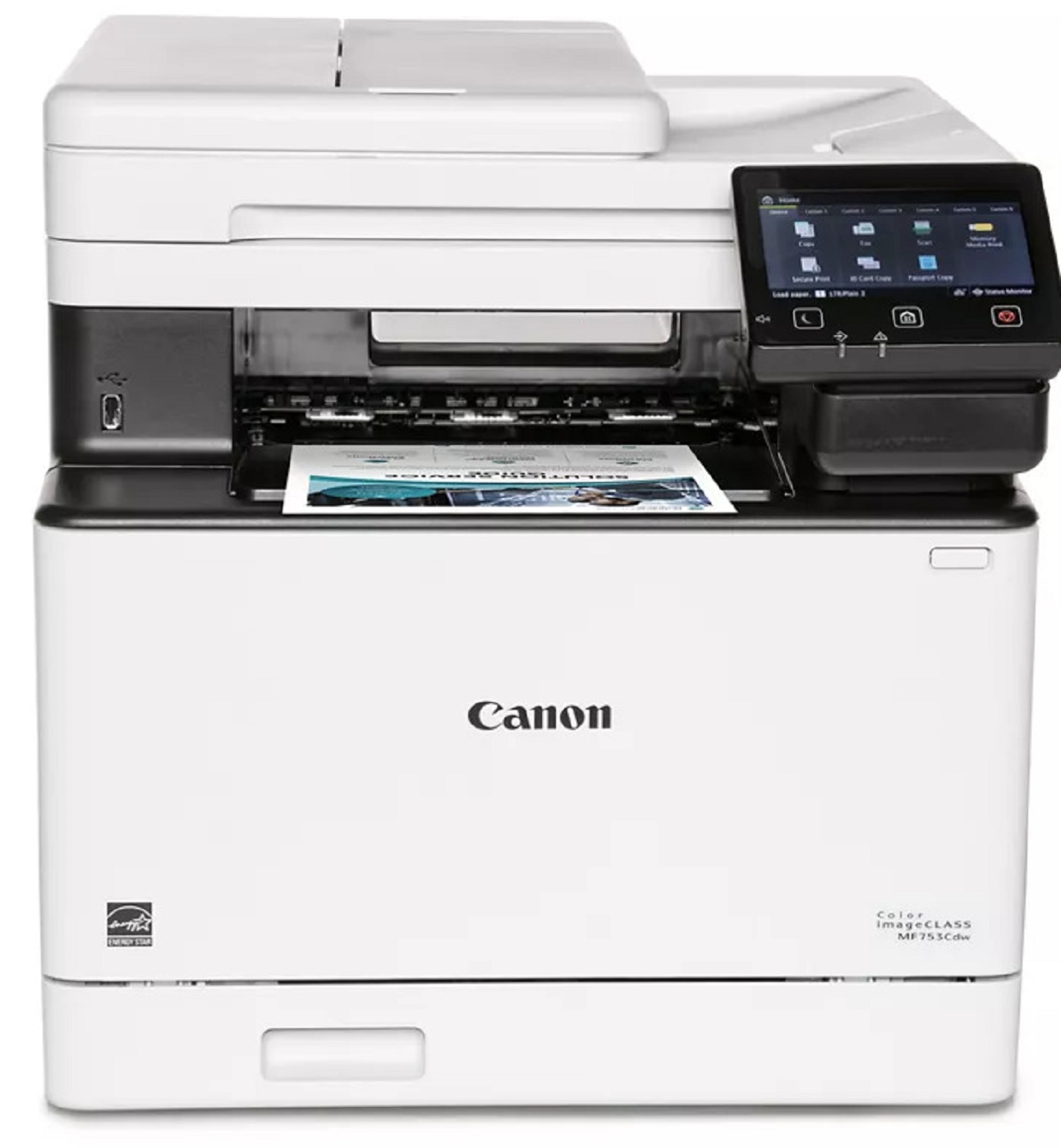

Product Details
Specifications
Accessories
Reviews
Product Details
Main Features
- Color output
- 4 Functions: Print, Copy, Scan and Fax
- First Print Out: 7 seconds
- Print speed: 35 pages per minute
- Automatic double sided print outs
- Compact design
- 850 sheet maximum paper capacity
- Built in Wi-Fi
- USB connection
- 5 inch color touchscreen
Specifications
General Specifications
|
Functions |
Print, Copy, Scan, Fax |
|
Print Speed |
35 ppm |
|
Print Resolution |
up to 1200 x 1200 dpidpi |
|
Time to First Print |
7 Seconds |
|
Standard Paper Capacity |
300 Sheets |
|
Maximum Paper Capacity |
850 Sheets |
|
Document Feeder |
50 Sheet ADF, Simplex Scan |
|
Print Memory |
1 GB |
|
Connectivity |
USB 2.0 High‐Speed, 10/100/1000Base‐T/TX Ethernet (Network), Wi‐Fi 802.11b/g/n, Wi‐Fi® Direct Connection |
|
Dimensions |
16.8" (W) x 18.2" (D) x 17" (H) |
|
Weight |
Approximately 48.5 lbs. |
Accessories

Reviews


Flashing light on your printer? Each printer has a different reason for a blinking or orange light but in general it is due to a paper jam, an empty paper tray, a printer cartridge problem or a problem with the printer hardware.
Don't move a print head unless the instructions direct it. You can damage the belt or other parts.
Pages per minute (ppm) is the average print speed for black and white pages only. Actual speed may be different based on the amount of graphics on each page.
MY ACCOUNT
INFO & POLICIES
SHOP EASY
PAYMENT OPTIONS



