



 Shopping Cart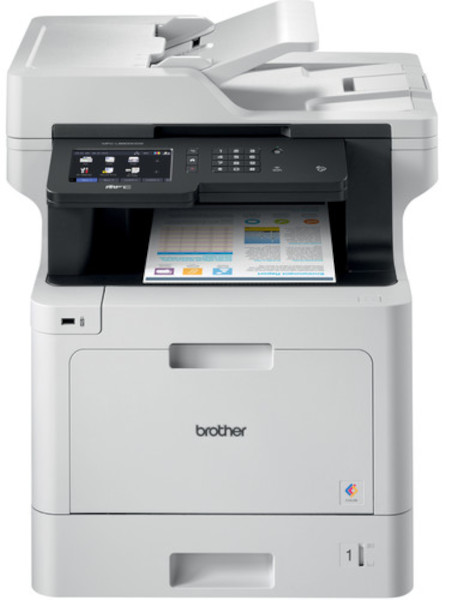



*** ALL TONERS AND SUPPLIES ARE IN STOCK AT DISCOUNTED PRICING , CALL +18882983095.
Printers do not include supplies - toners , drums (Imaging Units) (where applicable) , printer cables , manuals , consumables , trays (where applicable). Power cables are included. Drivers can be downloaded from the manufacturers website. Please verify that drivers available are compatible with your software on the manufacturers site.
Product Details
Specifications
Accessories
Reviews
Product Details
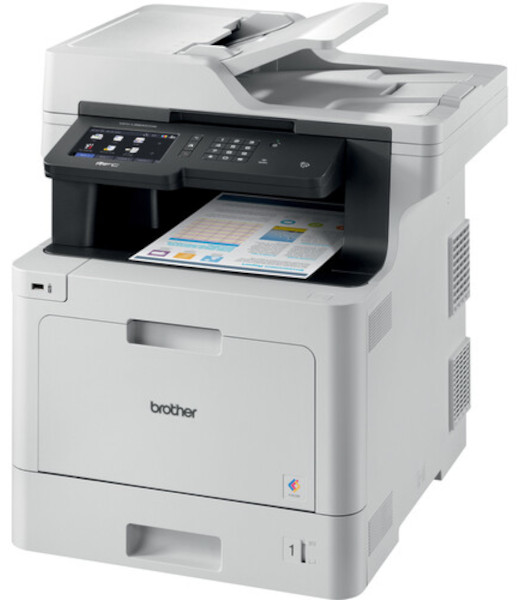
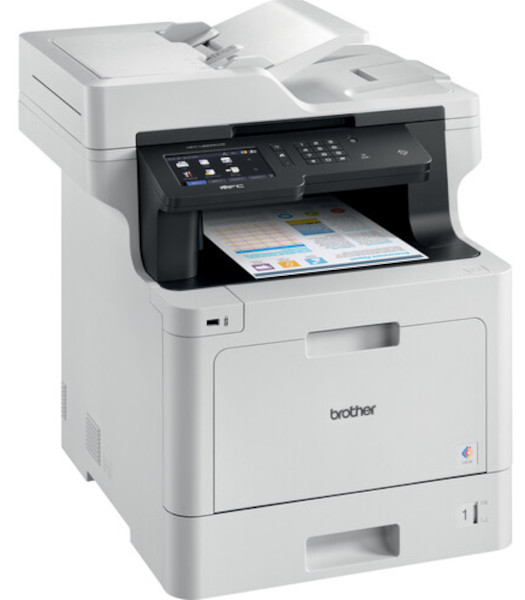
Main Features
- Print, scan, copy, and fax
- Adjustable 5” color touchscreen
- Wireless and Ethernet connectivity
- Mobile device printing
- 70 Page auto document feeder
- Print and copy speed: 33 pages per minute
- Maximum paper capacity: 1,300 sheets
- Duplex prints and copies
- Triple layer security features
- Low cost printing
Specifications
General Specifications
|
Max Print Speed (bk/color) (1)
|
33ppm / 33ppm |
|
Functions
|
Print, scan, copy, fax |
|
Input Paper Capacity (option)
|
300 / (1,300) pages |
|
Output Paper Capacity
|
150 |
|
ADF Capacity
|
70 |
|
Max. Scan Speeds (sim/duplex)
|
29 ipm / 58ipm |
|
Display
|
5" color touchscreen |
|
Standard Interfaces
|
WiFi, Gig. Ethernet, USB, NFC |
|
Rec Monthly Print Volume Pages
|
Up to 4,000 |
Accessories

Reviews


Set your printer for the proper paper type and weight. Fine art papers are heavier than ordinary inkjet or bond papers so set the printer to thicker paper settings.
Handle inkjet papers like photographic papers - hold them by the edges to avoid oil deposits and fingerprints.
Is your printer feeding in the whole paper stack rather than just one piece at a time? Fan the paper before putting it in the tray to help separate the sheets. Also, store your paper in a cool, dry place as humidity can contribute to this problem.
MY ACCOUNT
INFO & POLICIES
SHOP EASY
PAYMENT OPTIONS



