



 Shopping Cart
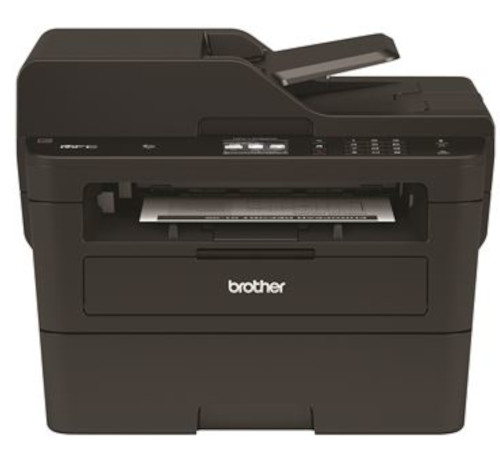
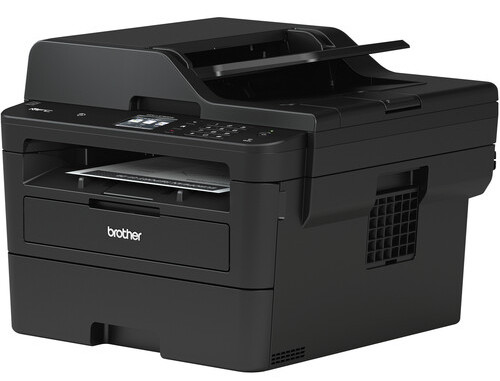
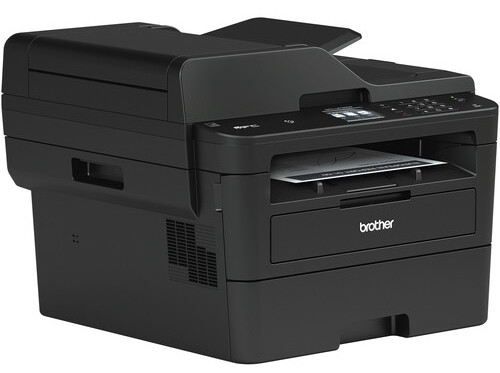
 Brother MFC-L2750DW All-In-One Printer



Product Details
Specifications
Accessories
Reviews
Product Details
Main Features
- Print, scan, copy, and fax
- 2 Sided copying and scanning
- 2.7” Color Touchscreen
- Prints up to 36 pages per minute
- 256MB Memory
- 50 Sheet Automatic document feeder
- Connectivity: USB 2.0, Ethernet, and Wi-Fi with NFC
- Sturdy and robust design
- 250 sheet input tray
- Maximum paper size: 8.5” x 14”
Specifications
General Specifications
| Functions | |
| Printing Technology | |
| Color Type | |
| Wireless | |
| Power Source |
| Print Resolution | |
| Printer Language | |
| Print Speed (By Time) | |
| First Print Out Time | |
| Monthly Duty Cycle |
Printer Media Handling
| Media Handling | |
| Media Sizes | |
| Media Weight | |
| Paper Capacity |
Scanner
| Scanner Type | |
| Scanner Maximum Resolution | |
| Scan Modes | |
| Duplex Scanning | |
| File Formats |
Scanner Media Handling
| Scan Sizes | |
| Paper Capacity |
Copier
| Reduction/Enlargement | |
| Copy Speed | |
| Duplex Copying | |
| Copy Resolution |
Fax
| Modem Transmission Speed | |
| Fax Memory |
Connectivity
| Inputs/Outputs | |
| Wireless | |
| Direct Printing | |
| Internal Memory | |
| Scanner Drivers | |
| OS Compatibility |
Environmental
| Operating Conditions |
General
| Power Source | |
| Battery | |
| Input Power | |
| Power Consumption | |
| Dimensions (W x H x D) | |
| Weight |
 Download Manufacturer Specifications
Accessories

Reviews


Set your printer for the proper paper type and weight. Fine art papers are heavier than ordinary inkjet or bond papers so set the printer to thicker paper settings.
Is your printer smearing immediately after changing a cartridge? Check that the protective tape over the nozzles is completely removed.
Make sure to select the correct paper type for your print job. In general, for more important documents, use thicker paper.
MY ACCOUNT
INFO & POLICIES
SHOP EASY
PAYMENT OPTIONS



* Images are for illustration purposes only.