



 Shopping Cart
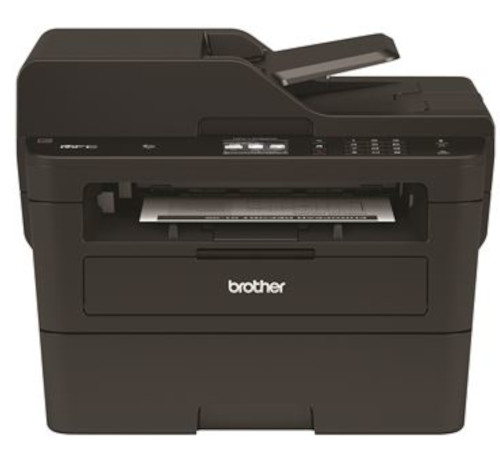
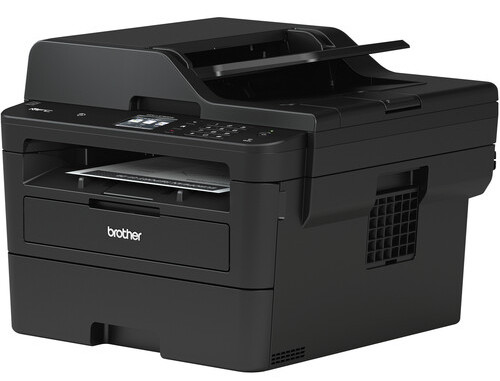
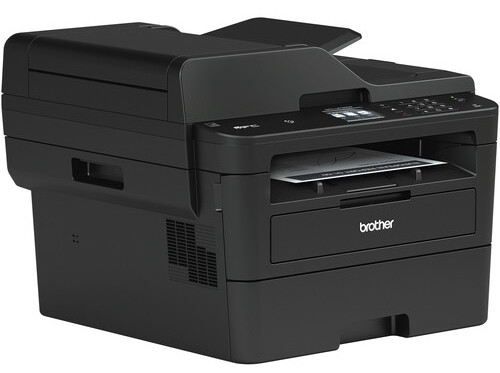
 Brother MFC-L2750DW All-In-One Printer



Product Details
Specifications
Accessories
Reviews
Product Details
Main Features
- Print, scan, copy, and fax
- 2 Sided copying and scanning
- 2.7” Color Touchscreen
- Prints up to 36 pages per minute
- 256MB Memory
- 50 Sheet Automatic document feeder
- Connectivity: USB 2.0, Ethernet, and Wi-Fi with NFC
- Sturdy and robust design
- 250 sheet input tray
- Maximum paper size: 8.5” x 14”
Specifications
General Specifications
| Functions | |
| Printing Technology | |
| Color Type | |
| Wireless | |
| Power Source |
| Print Resolution | |
| Printer Language | |
| Print Speed (By Time) | |
| First Print Out Time | |
| Monthly Duty Cycle |
Printer Media Handling
| Media Handling | |
| Media Sizes | |
| Media Weight | |
| Paper Capacity |
Scanner
| Scanner Type | |
| Scanner Maximum Resolution | |
| Scan Modes | |
| Duplex Scanning | |
| File Formats |
Scanner Media Handling
| Scan Sizes | |
| Paper Capacity |
Copier
| Reduction/Enlargement | |
| Copy Speed | |
| Duplex Copying | |
| Copy Resolution |
Fax
| Modem Transmission Speed | |
| Fax Memory |
Connectivity
| Inputs/Outputs | |
| Wireless | |
| Direct Printing | |
| Internal Memory | |
| Scanner Drivers | |
| OS Compatibility |
Environmental
| Operating Conditions |
General
| Power Source | |
| Battery | |
| Input Power | |
| Power Consumption | |
| Dimensions (W x H x D) | |
| Weight |
 Download Manufacturer Specifications
Accessories

Reviews


Save memory on your PC by choosing the Custom option when you install your printer, and picking just the software you want to install.
Don't move a print head unless the instructions direct it. You can damage the belt or other parts.
Most printers have a built-in diagnostics program which can be very useful for troubleshooting problems and test-printing without a computer. They are usually initiated by pressing a button or two while turning on the printer.
MY ACCOUNT
INFO & POLICIES
SHOP EASY
PAYMENT OPTIONS



* Images are for illustration purposes only.