



 Shopping Cart
 Canon imageFORMULA ScanFront 400 Document Scanner
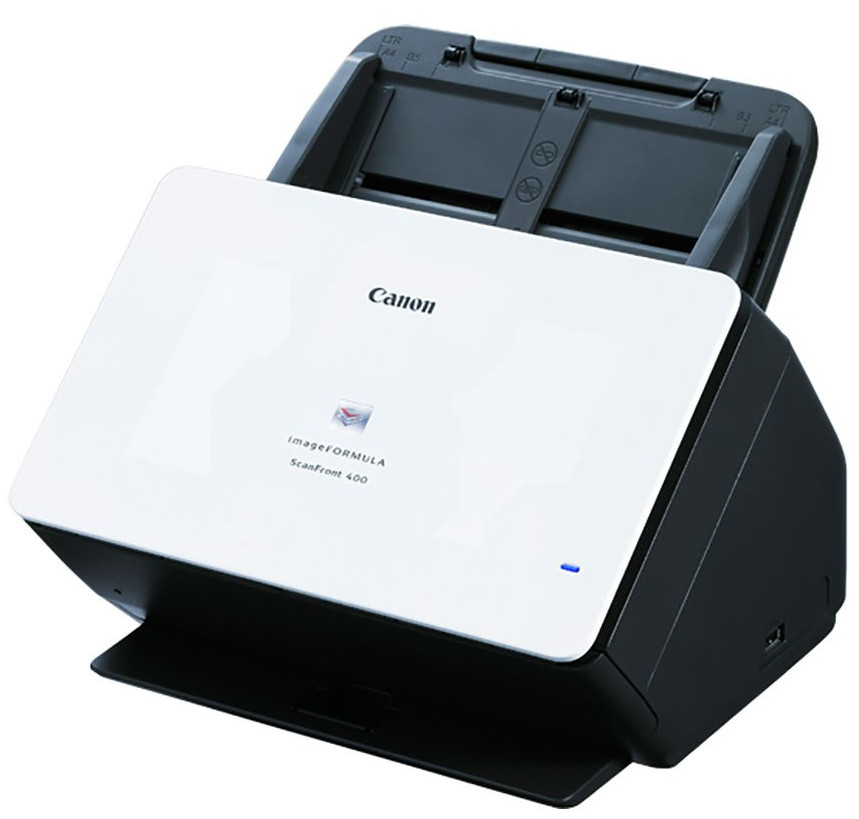


.jpg)

Product Details
Specifications
Accessories
Reviews
Product Details
Main Features
- Automatic or manual feed scanning
- 85 Sheet Automatic document feeder
- Double-sided scanning
- Direct scanning to email, network folders, FTP, USB memory, fax, or printers
- Quiet operation
- Scans up to 45 pages per minute
- Intuitive 10.1” touchscreen
- Suggested daily volume: 6000 scans per day
- USB 2.0 and Ethernet connectivity
Specifications
General Specifications
| Product Name | imageFORMULA ScanFront 400 Networked Document Scanner |
| Manufacturer Part Number | 1255C002 |
| Product Type | Sheetfed Scanner |
| Scan Color | Color |
| USB | Yes |
| Product Family | ScanFront |
| Maximum Mono Scan Speed (ppm) | 45 |
| Maximum Color Scan Speed (ppm) | 45 |
| Large Format | No |
| Duplex Scanning | Yes |
| Energy Star | Yes |
| Optical Resolution (dpi) | 600 |
| Color Depth | 24-bit |
| Environmentally Friendly | Yes |
| Grayscale Depth | 8-bit |
| Cordless | No |
| Maximum Mono Scan Speed (ipm) | 90 |
| Maximum Color Scan Speed (ipm) | 90 |
| Country of Origin | Japan |
| Height | 9.1" |
| Width | 12" |
| Depth | 11.1" |
| ADF Capacity | 60 Sheets |
| Product Model | 400 |
| Product Line | ScanFront |
| Scanning Modes | Duplex |
 Download Manufacturer Specifications
Accessories

Reviews


A Twain driver will usually give you a lot more control over the scan settings than a WIA driver and better results even with the default settings.
Scanning at a higher resolution will take longer.
Almost anything that speeds up scanning photos (other than buying a faster scanner) lowers the scan quality, so decide the level of quality you want, and then accept the amount of work that comes with it.
MY ACCOUNT
INFO & POLICIES
SHOP EASY
PAYMENT OPTIONS



* Images are for illustration purposes only.