



 Shopping Cart
 Canon imageFORMULA ScanFront 400 Document Scanner
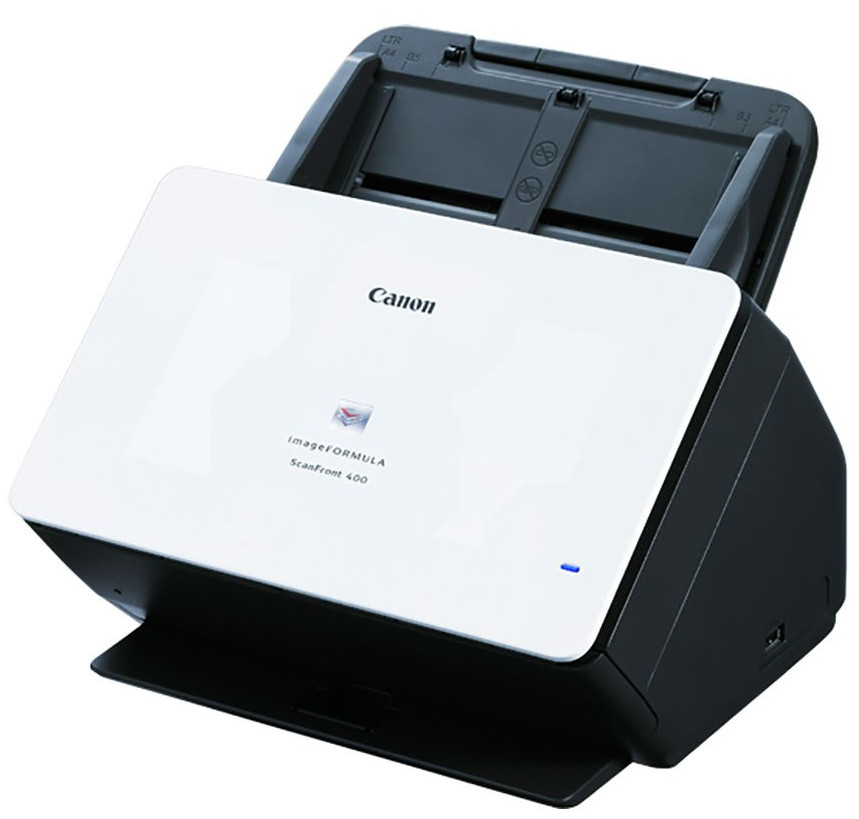


.jpg)

Product Details
Specifications
Accessories
Reviews
Product Details
Main Features
- Automatic or manual feed scanning
- 85 Sheet Automatic document feeder
- Double-sided scanning
- Direct scanning to email, network folders, FTP, USB memory, fax, or printers
- Quiet operation
- Scans up to 45 pages per minute
- Intuitive 10.1” touchscreen
- Suggested daily volume: 6000 scans per day
- USB 2.0 and Ethernet connectivity
Specifications
General Specifications
| Product Name | imageFORMULA ScanFront 400 Networked Document Scanner |
| Manufacturer Part Number | 1255C002 |
| Product Type | Sheetfed Scanner |
| Scan Color | Color |
| USB | Yes |
| Product Family | ScanFront |
| Maximum Mono Scan Speed (ppm) | 45 |
| Maximum Color Scan Speed (ppm) | 45 |
| Large Format | No |
| Duplex Scanning | Yes |
| Energy Star | Yes |
| Optical Resolution (dpi) | 600 |
| Color Depth | 24-bit |
| Environmentally Friendly | Yes |
| Grayscale Depth | 8-bit |
| Cordless | No |
| Maximum Mono Scan Speed (ipm) | 90 |
| Maximum Color Scan Speed (ipm) | 90 |
| Country of Origin | Japan |
| Height | 9.1" |
| Width | 12" |
| Depth | 11.1" |
| ADF Capacity | 60 Sheets |
| Product Model | 400 |
| Product Line | ScanFront |
| Scanning Modes | Duplex |
 Download Manufacturer Specifications
Accessories

Reviews


Use the gray scale or line art option when you scan black and white images.
If you'll be happy with photo scans that can be viewed onscreen or reprinted at the same size, but with noticeable color shifts and loss of resolution, consider using an inexpensive sheet fed scanner.
Work out the resolution you should scan your photos at by matching it to the resolution you will be printing in.
MY ACCOUNT
INFO & POLICIES
SHOP EASY
PAYMENT OPTIONS



* Images are for illustration purposes only.