



 Shopping Cart
 Canon imageFORMULA ScanFront 400 Document Scanner
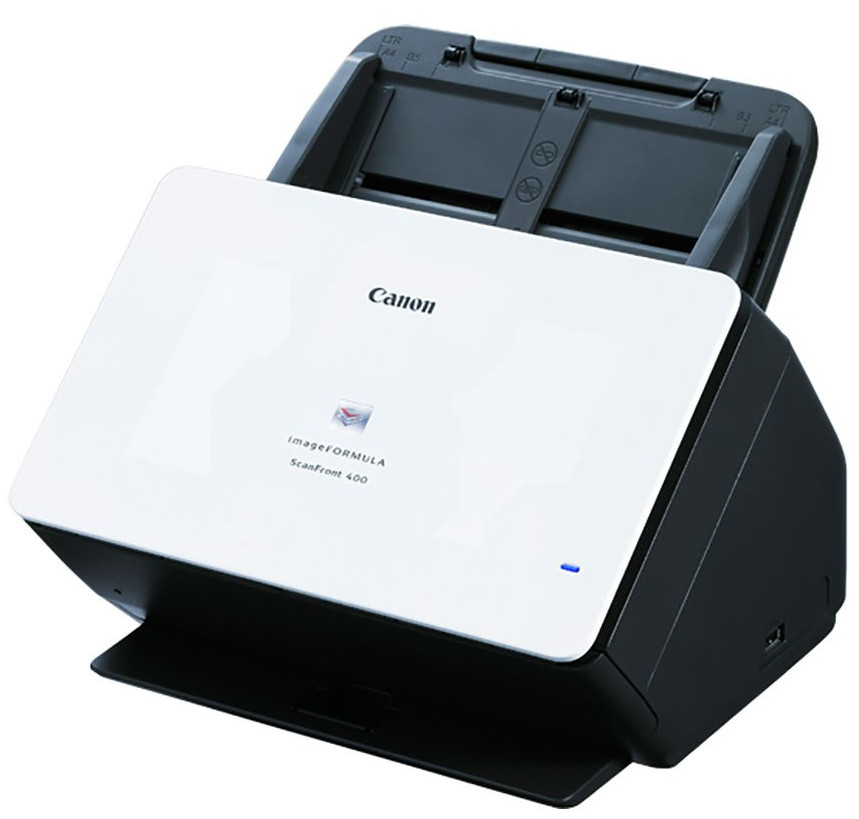


.jpg)

Images are for illustration purposes only and do not necessarily reflect the actual product.
Product Details
Specifications
Accessories
Reviews
Product Details
Main Features
- Automatic or manual feed scanning
- 85 Sheet Automatic document feeder
- Double-sided scanning
- Direct scanning to email, network folders, FTP, USB memory, fax, or printers
- Quiet operation
- Scans up to 45 pages per minute
- Intuitive 10.1” touchscreen
- Suggested daily volume: 6000 scans per day
- USB 2.0 and Ethernet connectivity
Specifications
General Specifications
| Product Name | imageFORMULA ScanFront 400 Networked Document Scanner |
| Manufacturer Part Number | 1255C002 |
| Product Type | Sheetfed Scanner |
| Scan Color | Color |
| USB | Yes |
| Product Family | ScanFront |
| Maximum Mono Scan Speed (ppm) | 45 |
| Maximum Color Scan Speed (ppm) | 45 |
| Large Format | No |
| Duplex Scanning | Yes |
| Energy Star | Yes |
| Optical Resolution (dpi) | 600 |
| Color Depth | 24-bit |
| Environmentally Friendly | Yes |
| Grayscale Depth | 8-bit |
| Cordless | No |
| Maximum Mono Scan Speed (ipm) | 90 |
| Maximum Color Scan Speed (ipm) | 90 |
| Country of Origin | Japan |
| Height | 9.1" |
| Width | 12" |
| Depth | 11.1" |
| ADF Capacity | 60 Sheets |
| Product Model | 400 |
| Product Line | ScanFront |
| Scanning Modes | Duplex |
 Download Manufacturer Specifications
Accessories

Reviews


When selecting a scanner it is worth considering how the scanner interfaces with your computer. The interface does not affect the image quality, but it does affect the scanning speed.
Almost anything that speeds up scanning photos (other than buying a faster scanner) lowers the scan quality, so decide the level of quality you want, and then accept the amount of work that comes with it.
If you want to get the best possible quality from your scanner, try out the advanced modes of your scanner.
MY ACCOUNT
INFO & POLICIES
SHOP EASY
PAYMENT OPTIONS



* Images are for illustration purposes only.