



 Shopping Cart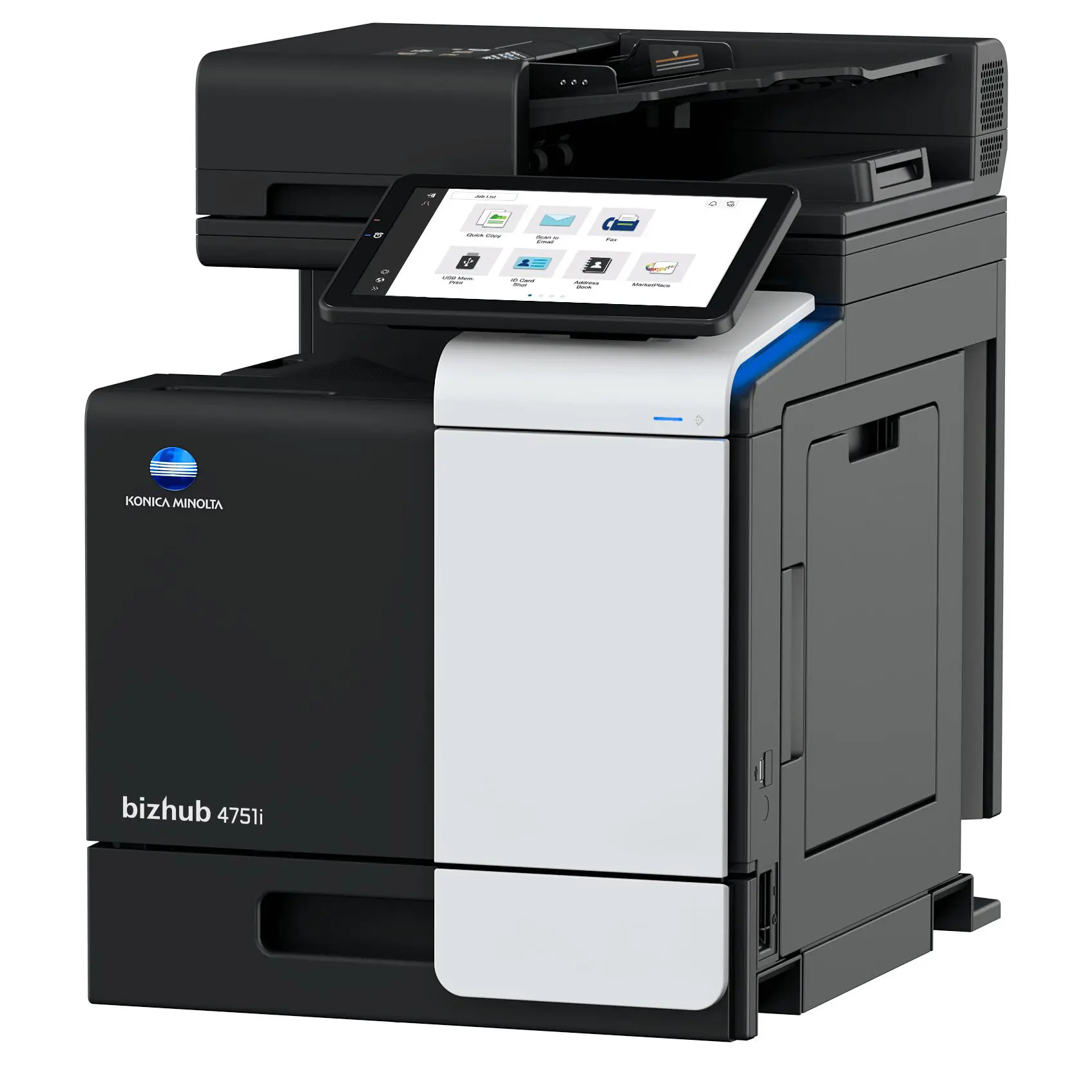

*** ALL TONERS AND SUPPLIES ARE IN STOCK AT DISCOUNTED PRICING , CALL +18882983095.
Printers do not include supplies - toners , drums (Imaging Units) (where applicable) , printer cables , manuals , consumables , trays (where applicable). Power cables are included. Drivers can be downloaded from the manufacturers website. Please verify that drivers available are compatible with your software on the manufacturers site.
Product Details
Specifications
Accessories
Reviews
Product Details
Main Features
- Monochrome Laser Multifunction Printer
- Print, Copy, Scan and Fax
- Print Speed: 50 ppm
- Print Resolution: 1200 x 1200 dpi
- Maximum capacity: 1600 sheets
- Memory: 5 GB
- Auto duplex print
- Innovative Mobile Technologies
- Intuitive Operability
Specifications
 Download Manufacturer Specifications
Accessories

Reviews


Set your printer to maximum dpi setting to obtain the best image quality.
Use a lightly dampened cloth to clean the outside of your laser printer. To clean the inside, use a dry, lint-free cloth to make sure that no liquid enters the inner parts of the printer.
Paper jam? The best way to remove jammed paper is to gently pull the paper in the direction of the paper path - with power off, of course. Do not pull the paper backwards - you could damage your printer forever by doing so.
MY ACCOUNT
INFO & POLICIES
SHOP EASY
PAYMENT OPTIONS



