



 Shopping Cart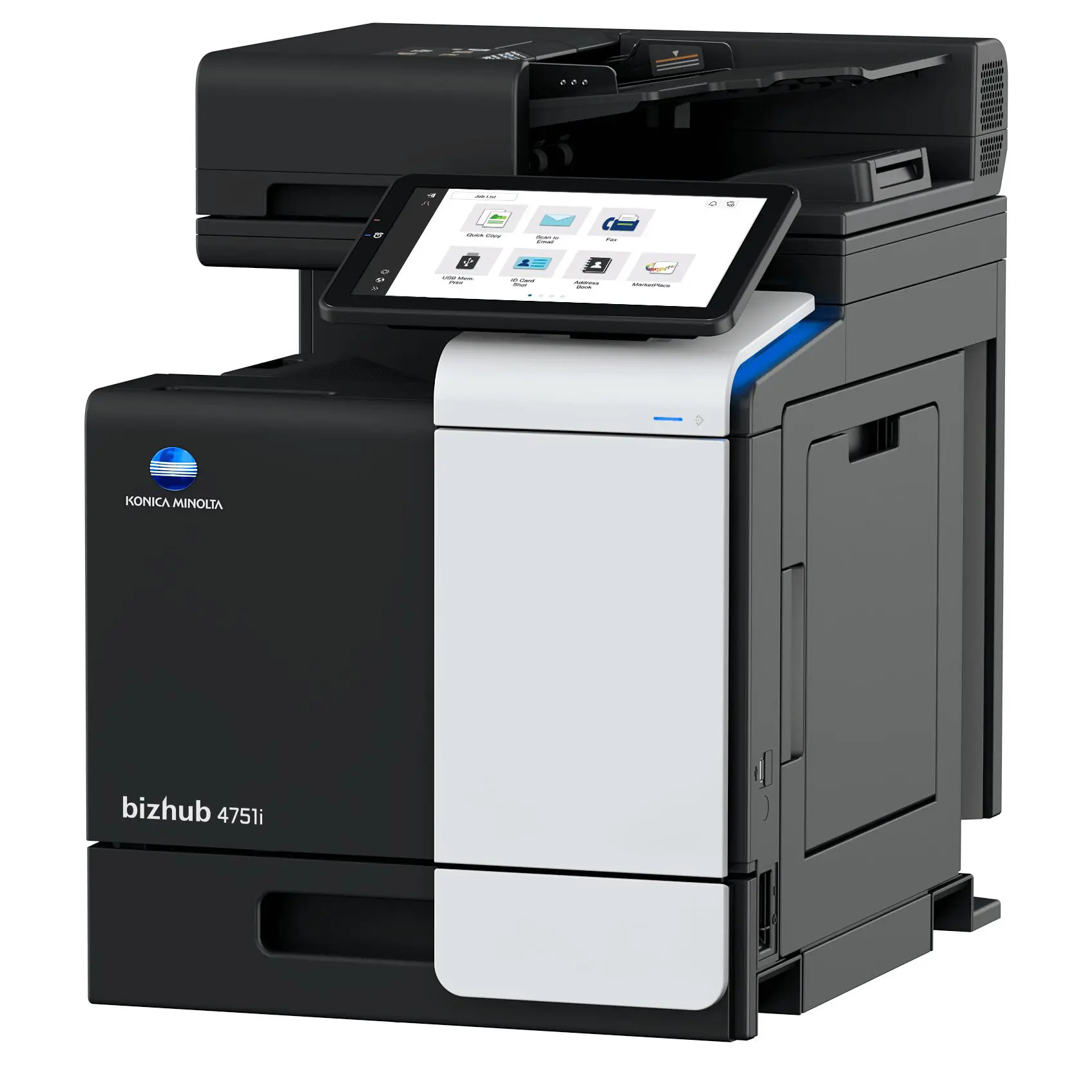

*** ALL TONERS AND SUPPLIES ARE IN STOCK AT DISCOUNTED PRICING , CALL +18882983095.
Printers do not include supplies - toners , drums (Imaging Units) (where applicable) , printer cables , manuals , consumables , trays (where applicable). Power cables are included. Drivers can be downloaded from the manufacturers website. Please verify that drivers available are compatible with your software on the manufacturers site.
Product Details
Specifications
Accessories
Reviews
Product Details
Main Features
- Monochrome Laser Multifunction Printer
- Print, Copy, Scan and Fax
- Print Speed: 50 ppm
- Print Resolution: 1200 x 1200 dpi
- Maximum capacity: 1600 sheets
- Memory: 5 GB
- Auto duplex print
- Innovative Mobile Technologies
- Intuitive Operability
Specifications
 Download Manufacturer Specifications
Accessories

Reviews


Paper coatings are designed to control ink absorption and spread, producing brilliant, sharp images with less ink.
Most printers have a paper-out detector. On most dot matrix printers it is a photo diode. If form-fed paper is not aligned correctly (usually on the left side) the diode won't see it.
Set your printer for the proper paper type and weight. Fine art papers are heavier than ordinary inkjet or bond papers so set the printer to thicker paper settings.
MY ACCOUNT
INFO & POLICIES
SHOP EASY
PAYMENT OPTIONS



