



 Shopping Cart



*** ALL TONERS AND SUPPLIES ARE IN STOCK AT DISCOUNTED PRICING , CALL +18882983095.
Printers do not include supplies - toners , drums (Imaging Units) (where applicable) , printer cables , manuals , consumables , trays (where applicable). Power cables are included. Drivers can be downloaded from the manufacturers website. Please verify that drivers available are compatible with your software on the manufacturers site.
Product Details
Specifications
Accessories
Reviews
Product Details
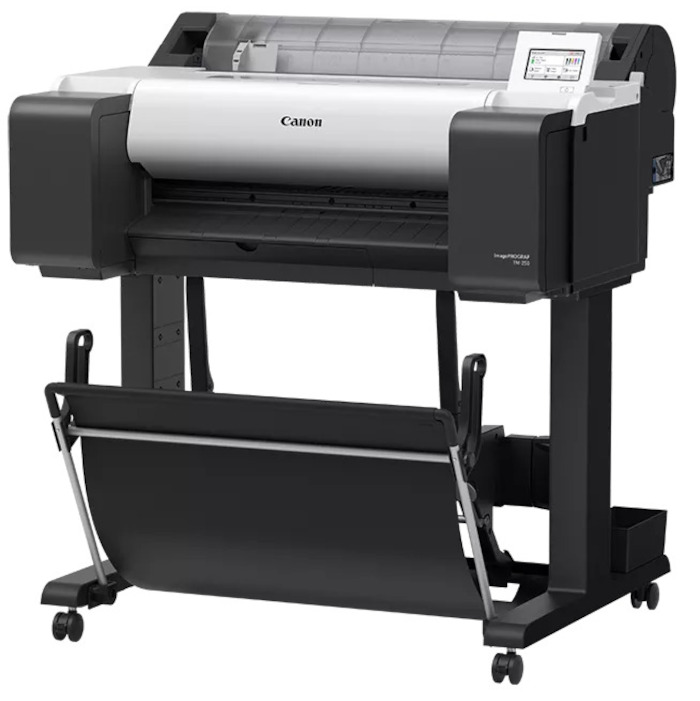
Main Features
- Print speed of approximately 2.9 pages per minute
- 6-Channel PF-06 Print Head
- Compact size with complete front operation
- 4.3 inch adjustable touchscreen
- Automatic media detection
- EPEAT Gold and ENERGYSTAR certified
- Media types: metallic, rag, glossy and adhesive backings
- Maximum media width: 24 inches
- Media thickness: 0.07 mm - 0.8 mm
- Printing software: Accounting Manager, Direct Print Plus, Free Layout Plus, PosterArtist and more
- Printing resolution: 2400 x 1200 dpi
Specifications
General Specifications
| Printing Technology | |
| Color Type | |
| Print Resolution | |
| Printer Language | |
| Line Accuracy | |
| Minimum Ink Droplet Size |
| Media Handling | |
| Media Sizes | |
| Media Thickness | |
| Media Roll Diameter |
| Scanner Type | |
| Scanner Maximum Resolution | |
| Scan Modes | |
| Scanner Color Depth | |
| Grayscale Depth | |
| Image Sensor | |
| Duplex Scanning | |
| Single Pass Duplex | |
| Scan Speed | |
| Automatic Image Corrections | |
| File Formats |
| Scan Sizes | |
| Media Thickness | |
| Film Formats |
| Inputs/Outputs | |
| Wireless | |
| Internal Memory | |
| Mobile App Compatible | |
| OS Compatibility |
| Operating Temperature | |
| Operating Humidity |
| Display Size | |
| Display Type | |
| Power Source | |
| Battery | |
| AC Input Power | |
| Power Consumption | |
| Certifications | |
| Dimensions (W x H x D) | |
| Weight |
 Download Manufacturer Specifications
Accessories

Reviews


Set your printer for the proper paper type and weight. Fine art papers are heavier than ordinary inkjet or bond papers so set the printer to thicker paper settings.
Is your printer feeding in the whole paper stack rather than just one piece at a time? Fan the paper before putting it in the tray to help separate the sheets. Also, store your paper in a cool, dry place as humidity can contribute to this problem.
If debris is the primary cause of failures, toner is the primary cause of debris. All toner cartridges release a small amount of toner powder into the machine. This is why it's important to clean the machine when you change the cartridge.
MY ACCOUNT
INFO & POLICIES
SHOP EASY
PAYMENT OPTIONS



