



 Shopping Cart
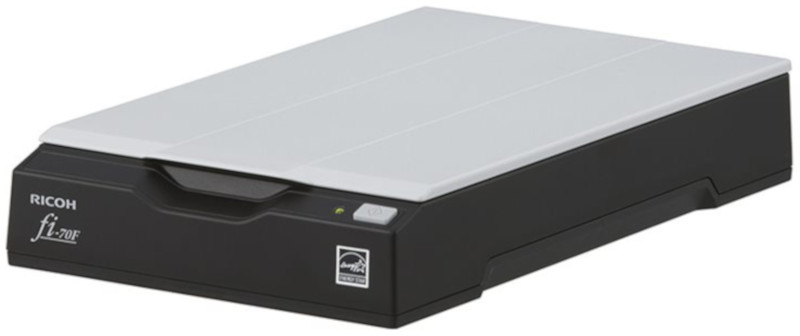
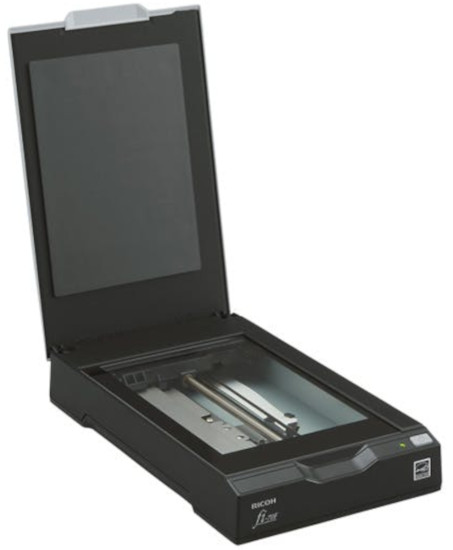
 Ricoh FI-70F Flatbed Scanner



Product Details
Specifications
Accessories
Reviews
Product Details
Main Features
- Flatbed scanner
- Color and black and white scans
- Quickly scans documents in 1.3 seconds
- 0.5 second start up time
- Image processing functions such as auto crop, rotate and de-skew
- USB Connectivity
- Optical resolution: 600 dpi
- Maximum document size: 4.1 x 5.8 inches
- Coverless scanning
- Lightweight and compact
Specifications
General Specifications
| Scanner Type | Flatbed, Simplex |
|---|---|
| Simplex / Duplex | Simplex |
| Scanning Speed (Color/Grayscale/Monochrome) | AC Adapter Color: 1.3 seconds (200 dpi)/2.0 seconds (300 dpi) Grayscale/Monochrome: 0.9 seconds (200 dpi)/1.0 seconds (300 dpi) USB Bus-Powered Color: 2.0 seconds (200 dpi)/2.5 seconds (300 dpi) Grayscale/Monochrome: 2.0 seconds (200/300 dpi) |
| Image Sensor | CIS (CMOS CIS) |
| Light Source | 3 Color LED |
| Optical Resolution | 600 dpi |
| Output Resolution (Color / Grayscale / Monochrome) | 50 to 600 dpi (adjustable by 1 dpi increments), 1200 dpi (driver) |
| Output Format | Color: 24-bit, Grayscale: 8-bit, Monochrome: 1-bit |
| Background Colors | Black |
| Dimensions (W x D x H) | 145 x 234 x 40 mm (5.7 x 9.2 x 1.6 in.) |
| Weight | 0.9 kg (1.98 lb) |
| Supported Operating System | Windows® 11, Windows® 10, Windows Server® 2022, Windows Server® 2019, Windows Server® 2016, Windows Server® 2012 R2, Windows Server® 2012 |
| Document Size | Max: 105 x 148 mm (4.1 x 5.8 in.) |
|---|
| Connectivity | USB 2.0/USB 1.1 |
|---|
| Power Requirement | AC 100 to 240 V ±10 % |
|---|---|
| Operating Mode | 6 W or less |
| Sleep Mode | 2 W or less |
| Auto Standby (Off) Mode | 0.3 W or less |
| Temperature | 5 to 35 °C (41 to 95 °F) |
|---|---|
| Relative Humidity | 20 to 80% (non-condensing) |
| Environmental Compliance | ENERGY STAR®, RoHS |
 Download Manufacturer Specifications
Accessories

Reviews


A Twain driver will usually give you a lot more control over the scan settings than a WIA driver and better results even with the default settings.
To get the best scan possible, make sure your scanner settings are set correctly for that particular image type e.g. colour or b/w.
If you are scanning an image for your website, scan at 75-100 dpi. This will give you good quality, but small file size.
MY ACCOUNT
INFO & POLICIES
SHOP EASY
PAYMENT OPTIONS



* Images are for illustration purposes only.