



 Shopping Cart
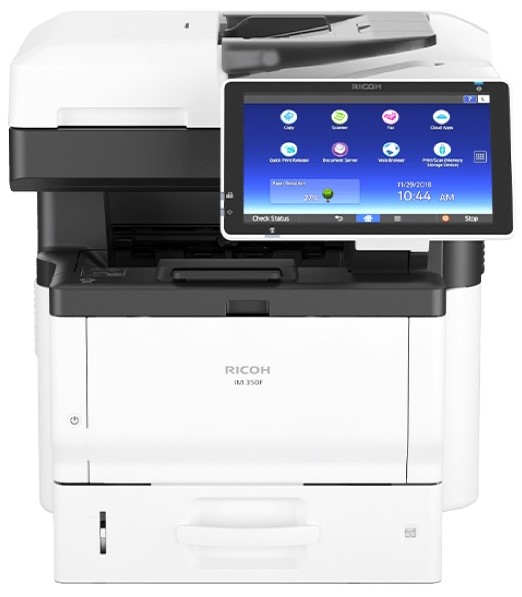
 Ricoh IM 350F B&W Laser MultiFunction Printer




Product Details
Specifications
Accessories
Reviews
Product Details
Main Features
- Black and white printing
- Functions: Print, copy, scan and fax
- Print Speed: 37 pages per minute
- First Print Out: 7 seconds
- Print Resolution: 1200 x 1200 dpi
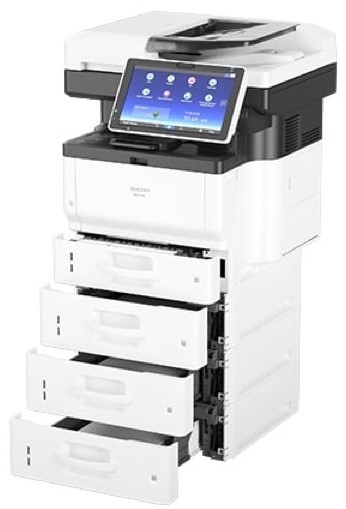
- Paper Capacity: 2,100 pages
- Single Pass Document Feeder
- Compact, sleek design
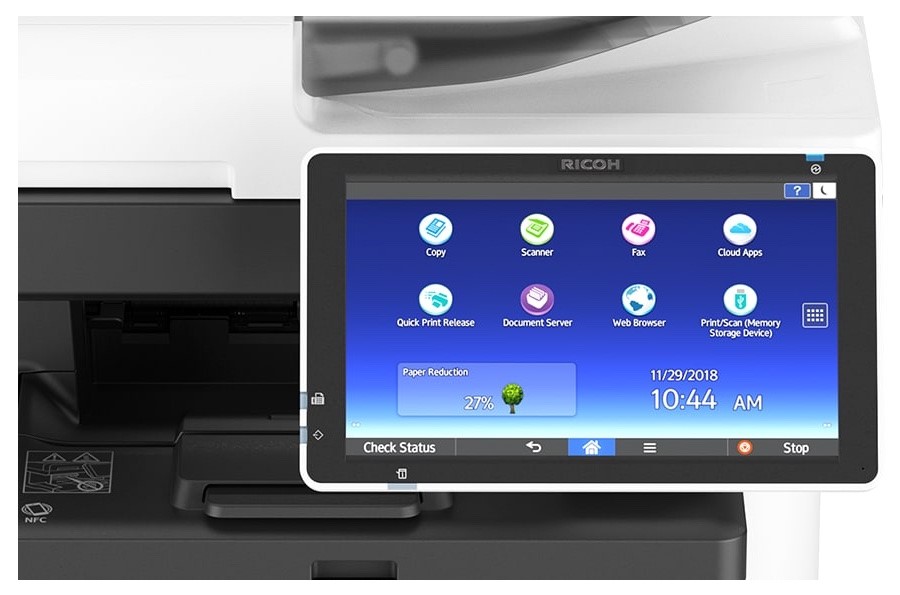
- 10.1 inch smart control panel
Specifications
General Specifications
| Configuration | Desktop |
|---|---|
| Control Panel | 10.1" Smart Operation Panel |
| Color/Black & White | Black & White |
| Output Speed Copy/Print | 37 ppm |
| First Page Out Time | Less than 6 seconds |
| Warm-Up Time | 24 seconds |
| Resolution | 1200 x 1200 dpi |
| System Memory | 2 GB RAM/ 320 GB HDD |
| Maximum Copy Quantity | Up to 999 copies |
| Document Feeder Type | Single Pass Document Feeder (SPDF) |
| Single Pass Document Feeder (SPDF) | 50 sheets |
| Zoom Range | 25% to 400% in 1% increments |
| Supported Paper Sizes | Standard paper tray(s): 5.5" x 8.5" - 8.5" x 14" (A6-A4, B6-B5) Optional paper tray(s): 5.5" x 8.5" - 8.5" x 14" (A6-A4, B6-B5) Bypass tray: 5.5" x 8.5" - 8.5" x 14" (A6-A4, B6-B5) Custom Sizes - Width: 2.36" - 8.5" (60 - 216 mm), Length: 5.0" - 35.43" (127 - 900 mm) |
| Supported Paper Weights | Trays: 14 - 58 lb. Bond (52 - 220 g/m²) Bypass: 14 - 68 lb. Bond (52 - 256 g/m²) Duplex: 14 - 43 lb. Bond (52 - 162 g/m²) |
| Supported Paper Types | Plain, Recycled, Special, Colored, Letterhead, Cardstock, Pre-printed, Bond, Coated, Envelope, Label, OHP |
| Standard Paper Capacity | 500 sheets |
| Maximum Paper Capacity | 2,100 sheets |
| Standard Output Capacity | 250 sheets |
| Power Source | 120V - 127V/12A 60Hz |
| Typical Electricity Consumption (TEC) | 0.461 kWh/week TEC value is measured based on the ENERGY STAR Ver.3.0 test method. |
| Power | Maximum: Less than 1,380W Operation: 566 W Ready: 91 W Sleep: 0.7 W |
| Energy Star | Certified |
| EPEAT Status | Gold |
| Dimensions W x D x H | 18.7" x 17.4" x 20.1" (476 mm x 442 mm x 510mm) |
| Weight | 67.24 lbs. (30.5 kg) |
| Processor Speed | Intel Atom Processor Bay Trail 1.46GHz |
|---|---|
| Hard Disk Drive | 320 GB HDD |
| Interfaces | Standard: Ethernet 10 base-T/100 base-TX/1000 base-T, USB Host 2.0 Optional: Wireless LAN (IEEE 802.11a/b/g/n), Additional NIC (2nd port), Extended USB Board, File Format Converter |
| Network Protocol | TCP/IP (IPv4, IPv6) |
| Supported Operating Systems | Windows® environments: Windows® 7, Windows® 8.1, Windows® 10, Windows® Server 2008, Windows® Server 2008R2, Windows® Server 2012, Windows® Server 2012R2, Windows® Server 2016 Mac OS environments: Macintosh OS X v10.10 or later UNIX environments: UNIX Sun® SolarisUNIX Sun® Solaris, HP-UX, SCO OpenServer, RedHat® Linux, IBM® AIX, Citrix XenApp SAP® environments: SAP® R/3® , SAP® S/4® Other supported environments: NDPS Gateway, AS/400® using OS/400 Host Print Transform, IBM iSeries |
| Printer Languages | Standard: PCL5e, PCL6, PostScript 3 (emulation), PDF direct (emulation) Optional: Genuine Adobe® PostScript® 3™, IPDS, PDF Direct from Adobe® |
| Print Resolution | 1200 x 1200 dpi |
| Mobile Printing Support | Apple AirPrint™, Mopria, Google Cloud Print, NFC, Ricoh Smart Device Connector |
| Scan Speed (B&W & Full Color) | 45.7 ipm |
|---|---|
| Scanning Resolution | 600 dpi |
| File Formats | Single Page TIFF, Single page JPEG, Single page PDF, Single page High compression PDF, Single page PDF/A, Multi page TIFF, Multi page PDF, Multi page High compression PDF, Multipage PDF/A |
| Scan Modes | E-mail, Folder, USB, SD Card |
| Fax Standard/Optional | Standard |
|---|---|
| Circuit | PSTN, PBX |
| Fax Resolution | 8x7.7 line per mm, 200x200 dpi |
| Compression Method | MH, MR, MMR, JBIG |
| Scanning Speed | 28 spm |
| Modem Speed | 33.6 Kbps |
| Transmission Speed | 2 seconds (200x100 dpi, JBIG, ITUT #1 chart TTI off, memory transmission) |
| Memory | Standard: 4 MB (approx. 320 pages) |
 Download Manufacturer Specifications
Accessories

Reviews


Are your printer nozzles getting clogged? Try adding a humidifier to the room where you keep your printer.
Printer not working? Check that the ink and toner are there and properly filled.
Store your laser printer in a properly ventilated area where temperature and humidity do not change frequently. Avoid areas with heavy dust buildup.
MY ACCOUNT
INFO & POLICIES
SHOP EASY
PAYMENT OPTIONS



* Images are for illustration purposes only.