



 Shopping Cart
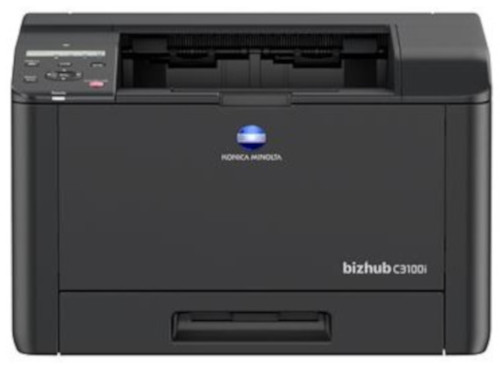
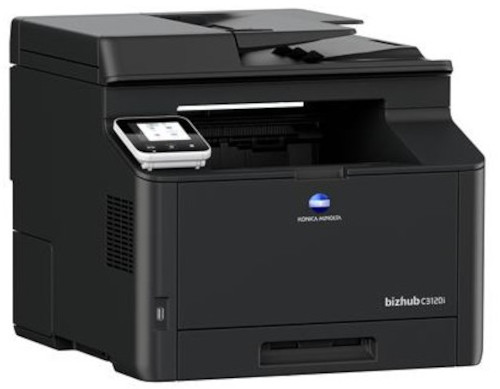
 Konica Minolta Bizhub C3100i Color Printer



Product Details
Specifications
Accessories
Reviews
Product Details
Main Features
- 33 pages per minute print speed
- Prints directly from a mobile device
- Approx 35 seconds warm up time
- Automatic duplex prints print as fast as 20 page per minute
- Noise free printer
- Compact and lightweight
- 512MB memory
- High print Resolution: 2400 x 600 dpi
- 50 sheet automatic document feeder
- Touch panel display
- A6-A4 printable paper size
Specifications
General Specifications
| Print speed A4 | Up to 31/31 ppm (mono/colour) |
| Autoduplex speed A4 | Up to 19/19 ppm (mono/colour) |
| 1st page out time A4 | 10.0/11.0 sec. (mono/colour) |
| Warm-up time Approx. | 35 sec. (mono/colour) |
| Panel size/resolution | 2 line LCD / 240 x 48 |
| System memory | 512 MB (standard/max) |
| Interface | 10/100/1,000-Base-T Ethernet; USB 2.0; Wi-Fi 802.11 b/g/n |
| Mobile printing | AirPrint (iOS); Mopria (Android); WiFi Direct |
| Printable paper size | A6-A4; customized paper sizes |
| Paper input capacity | 300 sheets / 550 sheets (standard/max) |
| Printable paper weight | 60-176 g/m |
| Output capacity | Up to 150 sheets |
| Duty cycle (monthly) | Rec. 1,600 pages; Max. 62,000 pages |
| System dimension (W x D x H) | 410 x 430 x 255 mm |
| System weight | Approx. 17.4 kg |
 Download Manufacturer Specifications
Accessories

Reviews


It is always better to use original branded ink cartridges to reduce chances of clogging, leaking and bleeding.
Are you getting diminished color and print quality? If all your images start to look a bit purple, blue or orange, one of your ink wells may be running low. Replace the whole printer ink cartridge, unless you can refill the individual ink wells.
Printer not working? The printer memory could be full and not getting prints or the prints may be stuck in the print queue. Turn-off the printer, wait a few seconds and turn it back on.
MY ACCOUNT
INFO & POLICIES
SHOP EASY
PAYMENT OPTIONS



* Images are for illustration purposes only.