



 Shopping Cart
 Brother HL-L3230CDW Color Laser Printer
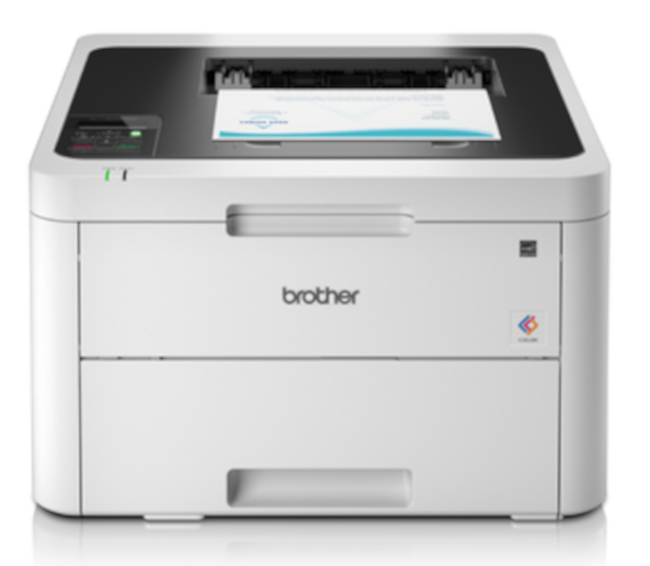


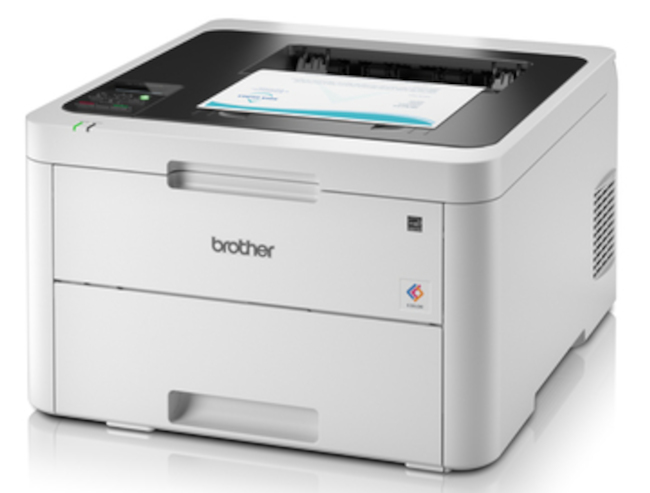

Images are for illustration purposes only and do not necessarily reflect the actual product.
Product Details
Specifications
Accessories
Reviews
Product Details
Main Features
- Print speed: 25 pages per minute
- Color prints
- First print out time: 15.5 seconds
- Recommended monthly duty cycle: 1500 pages
- Print resolution: 2400 * 600 dpi
- Maximum 250 sheet input capacity
- USB, Ethernet and Wi-Fi connectivity
- Compact design ideal for small spaces
Specifications
General Specifications
| Printing Technology | LED |
| Color Type | Color |
| Configuration | 4 x Toner |
| Print Resolution | 2400 x 600 dpi |
| Borderless Printing | No |
| Duplex Printing | Yes |
| Print Speed (By Time) | 25 ppm (Black) 25 ppm (Color) 3 ppm (Black Duplex) 3 ppm (Color Duplex) |
| First Print Out Time | 15.5 Seconds |
| Monthly Duty Cycle | 30,000 Pages 1500 Pages (Recommended) |
Printer Media Handling
| Paper Handling | 1 x Input Tray, Output Tray |
| Media Sizes | Input Tray 1 Minimum: 4.1 x 5.8" / 10.41 x 14.73 cm Maximum: 8.3 x 13" / 21.08 x 33.02 cm |
| Media Weight | Input Tray 1: 60 to 163 gsm / 40.5 to 110 lb |
| Paper Capacity | Input Tray 1: 250 x Sheet Output Tray: 150 x Sheet |
| Special Media Support | Envelopes |
Connectivity
| Interface | USB-B RJ45 |
| Wireless | Wi-Fi |
| Direct Printing | Apple AirPrint, Brother iPrint&Scan, Google Cloud Print, Mopria, Wi-Fi Direct |
| Internal Memory | Printer: 256 MB |
| Operating System Support | Android, Windows, iOS, macOS/OS X |
| OS Compatibility | Android Windows iOS macOS *As of February, 2021: Check with manufacturer for the most up-to-date compatibility |
Environmental
| Operating Temperature | 50 to 89°F / 10 to 32°C |
| Operating Humidity | 20 to 80% |
| Storage Temperature | 32 to 104°F / 0 to 40°C |
| Storage Humidity | 10 to 95% |
General
| Power Source | AC Adapter |
| Battery | None |
| AC Input Power | 110 to 240 VAC, 50 / 60 Hz |
| Power Consumption | 0.04 W (Off) 8.8 W (Sleep) 75 W (Ready) 430 W (Maximum) |
| Max Acoustic Noise | 5.9 BA (Pressure) 45 dBA (Pressure) |
| Dimensions (W x H x D) | 16.1 x 9.9 x 18.1" / 40.9 x 25.1 x 46 cm |
| Weight | 39.7 lb / 18.01 kg |
Packaging Info
| Package Weight | 47.85 lb |
 Download Manufacturer Specifications
Accessories

Reviews


Most printers will beep once or twice during or after initialization. If it beeps more than that or beeps constantly, it is telling you that something is wrong. Most printers beep when out of paper or out of ink.
Handle inkjet papers like photographic papers - hold them by the edges to avoid oil deposits and fingerprints.
Most printers have a built-in diagnostics program which can be very useful for troubleshooting problems and test-printing without a computer. They are usually initiated by pressing a button or two while turning on the printer.
MY ACCOUNT
INFO & POLICIES
SHOP EASY
PAYMENT OPTIONS



* Images are for illustration purposes only.