



 Shopping Cart
 Epson DS-70 Portable Document Scanner
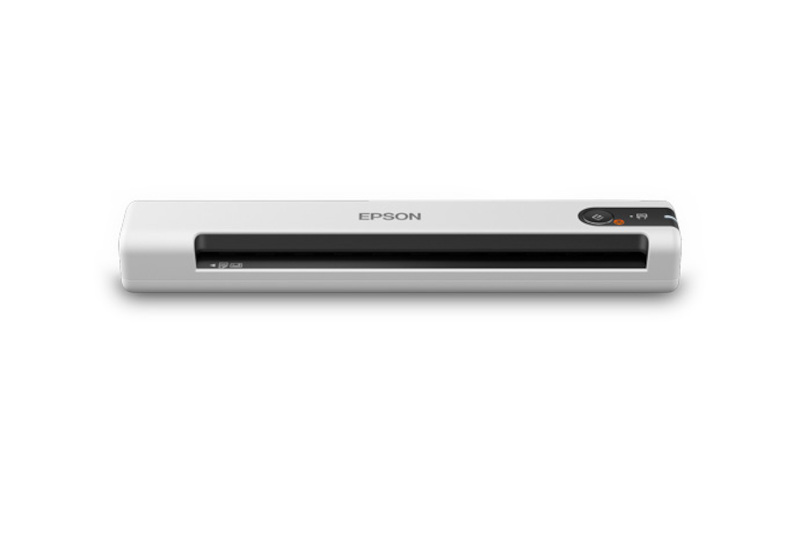

Images are for illustration purposes only and do not necessarily reflect the actual product.
Product Details
Specifications
Accessories
Reviews
Product Details
Main Features
- Portable, Lightweight Scanner
- Scans 10 pages per minute
- Daily duty cycle: 300 sheets
- Ideal for scanning business/ID cards, receipts and extra long sheets such as contracts
- Media size: Scans documents up to 8.5 inches * 72 inches
- USB Powered - Connect to your computer
- Compatible with windows and Mac
- Automatic feeding mode accepts each new sheet as its inserted
Specifications
General Specifications
| Type | Portable Scanner with Automatic Document Feeder (ADF) |
| Maximum Resolution | 600 dpi (Optical) 1200 dpi (Interpolated) |
| Scan Modes | Color, Grayscale, Monochrome |
| Color Depth | 16-Bit (Internal) 8-Bit (External) |
| Light Source | LED |
| Image Sensor | 1 x Contact Image Sensor (CIS) |
| Duplex Scanning | No |
| Single Pass Duplex | No |
| Scan Speed | Simplex Speed 10 ppm at 300 dpi |
Scanner Media Handling
| Scan Sizes | ADF Minimum: 2 x 2" / 5.1 x 5.1 cm Maximum: 8.5 x 72" / 21.6 x 182.9 cm |
| Paper Capacity | ADF: 1 x Sheet |
| Multi-Feed Detection | No |
| Media Weight | 35 to 270 gsm |
| Daily Duty Cycle | 300 Scans |
Connectivity
| Interface | USB 2.0 |
| Scanner Drivers | TWAIN |
| Operating System Support | Windows, macOS/OS X |
| OS Compatibility | Windows macOS *As of February, 2021: Check with manufacturer for the most up-to-date compatibility |
Environmental
| Operating Temperature | 41 to 95°F / 5 to 35°C |
| Operating Humidity | 10 to 85% |
| Storage Temperature | -13 to 140°F / -25 to 60°C |
General
| Power Source | USB |
| Battery | None |
| DC Input Power | 5 VDC |
| Power Consumption | 2.5 W (Maximum) 1.3 W (Ready) 1 W (Sleep) |
| Dimensions (W x H x D) | 10.7 x 1.3 x 1.8" / 27.2 x 3.3 x 4.6 cm |
| Weight | 9.2 oz / 260 g |
Packaging Info
| Package Weight | 1.1 lb |
| Box Dimensions (LxWxH) | 13 x 5.6 x 2.9" |
 Download Manufacturer Specifications
Accessories
*** ALL TONERS AND SUPPLIES ARE IN STOCK AT DISCOUNTED PRICING , CALL +18882983095
Reviews


Most MFPs are designed for scanning documents and so are best to avoid if you're looking for photo scanning. The few exceptions can be recognized if they feature scanning options that are clearly meant for photos, such as a color restore feature.
Use the gray scale or line art option when you scan black and white images.
Flatbed scanners have a flat glass surface onto which the original that you wish to scan is placed.
MY ACCOUNT
INFO & POLICIES
SHOP EASY
PAYMENT OPTIONS



* Images are for illustration purposes only.