



 Shopping Cart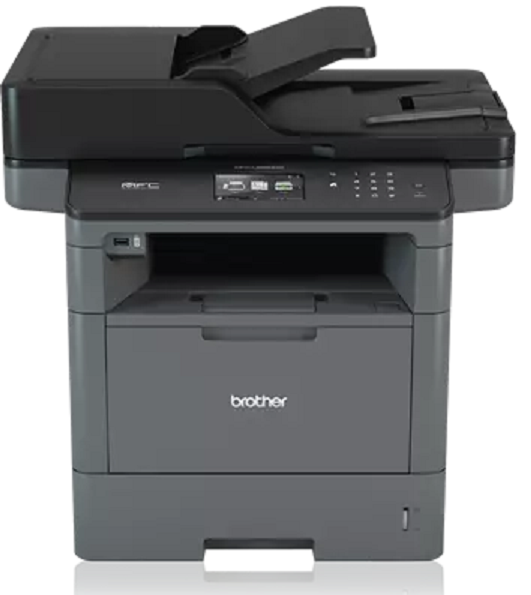

Product Details
Specifications
Accessories
Reviews
Product Details
Main Features
- Print, Copy, Scan Fax
- 42 ppm print speed
- 300 Sheet standard paper capacity
- 1,340 sheet maximum paper capacity
- Wireless Networking
- Automatic Duplex Print
- 70 page ADF
- Mobile print and scan options
- Front USB Host
- Advanced security features
- 3.7 inch color touchscreen display
Specifications
 Download Manufacturer Specifications
Accessories
*** ALL TONERS AND SUPPLIES ARE IN STOCK AT DISCOUNTED PRICING , CALL +18882983095
Reviews


Your printer is not a dumping ground. Don't pile documents or other things on top of it, as they could cause damage. Your printer could overheat and this could result in malfunctioning and even a reduction in the printer's life.
Getting blank pages after you installed a new cartridge? Check that the sticker from the cartridge was properly removed. Alternatively, run the clean print head function to make sure all air bubbles are removed. Do not remove the cartridge once it has been installed.
Preview and proofread your documents on the screen before sending them to print. This will save you a lot of paper and re-printing.
MY ACCOUNT
INFO & POLICIES
SHOP EASY
PAYMENT OPTIONS



