



 Shopping Cart
 Canon imageFORMULA DR-G2140 Production Document Scanner
*Images may show options not included in price.
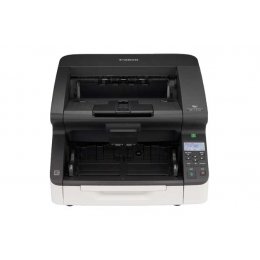

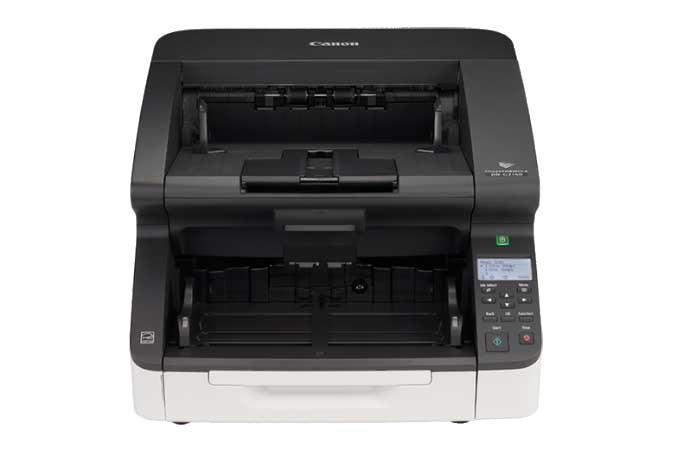
Images are for illustration purposes only and do not necessarily reflect the actual product.
Product Details
Specifications
Accessories
Reviews
Product Details
Main Features
- Handles approx 70,000 daily scans
- Scans up to 140 pages per minute
- Single-pass duplex scanning
- 500 sheet Automatic Document Feeder
- USB and Ethernet connectivity options
- Dedicated, onboard image processing chip
- Can handle business card to ledger sized documents as well as thick/thin/long documents
- Double-Feed detection and prevention
- Staple detection
- Solid-body design
- Heavy-duty input and output trays
- Easy access to settings via control panel
- Motorized paper-feed tray which adjusts to the height of the batch
Specifications
General Specifications
| Model Name | imageFORMULA DR-G2140 Production Document Scanner |
| Type | Production Scanner |
| Document Feeding | Automatic, Manual, Continuous Manual Long Document Mode: Up to 118.1" Document Weight: 5-56 lb. bond (Automatic Feeding), 5-64 lb. bond (Manual Feeding) |
| Document Size Width |
2” - 12” |
| Document Size Length | 2.8" - 17" |
| Feeder Capacity | Up to 500 Sheets |
| Grayscale | 8-bit |
| Color | 24-bit |
| Scanning Element | Three-line contact image sensor (CMOS) |
| Light Source | RGB LED |
| Operating Modes | Color, Grayscale, Black & White |
| Optical Resolution | 600 dpi |
| Output Resolution | 150 / 200 / 240 / 300 / 400 / 600 dpi |
|
Scanning Speeds |
|
| Black And White | (Simplex/Duplex)*: Up to 140 ppm / Up to 280 ipm |
| Grayscale | (Simplex/Duplex)*: Up to 140 ppm / Up to 280 ipm |
| Color 24 Bit | (Simplex/Duplex)*: Up to 140 ppm / Up to 280 ipm |
| Interface | Hi-Speed USB 3.1,
10Base-T/ 100Base-TX/1000Base-T Ethernet |
| Dimensions | 18.9" X 22.4" X 12.4" (trays closed) |
| Weight | 55.1 lb. |
| Power Consumption |
66.5 W or less (Energy Saving Mode: 3.5 W) Suggested Daily Volume:** 70,000 scans |
 Download Manufacturer Specifications
Accessories
*** ALL TONERS AND SUPPLIES ARE IN STOCK AT DISCOUNTED PRICING , CALL +18882983095
Reviews


An easy way to get a feel for any given scanning option is to scan the same image with different settings and compare the results.
Evaluating the resolution of a scanner is easy - higher is always better.
Make sure the scanning glass is clean and has no dust on it before you start scanning.
MY ACCOUNT
INFO & POLICIES
SHOP EASY
PAYMENT OPTIONS



* Images are for illustration purposes only.