



 Shopping Cart
 Lexmark C3426DW Color Laser Printer
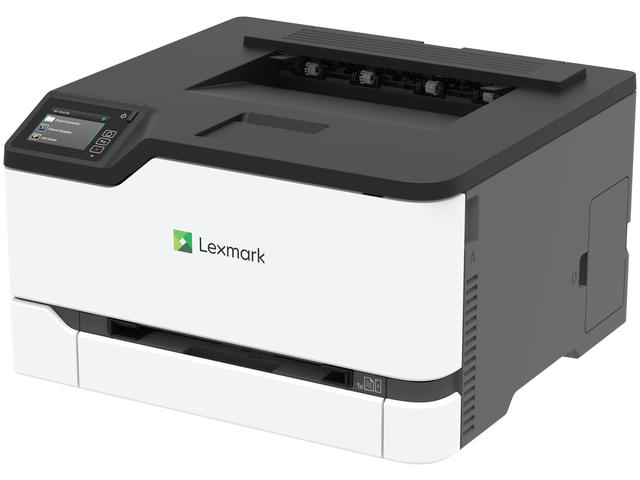

Images are for illustration purposes only and do not necessarily reflect the actual product.
Product Details
Specifications
Accessories
Reviews
Product Details
Main Features
- Colored printouts
- Print Speed: 26 pages per minute
- Double sided printouts
- Compact
- Lightweight
- 2.8 inch color touch screen
- USB port
Specifications
General Specifications
| Print Technology |
|
|---|---|
| Workgroup Size |
|
| Display |
|
| Media Sizes Supported |
|
| Included Paper Handling |
|
| Standard Ports |
|
| Size (in. - H x W x D) |
|
| Weight (lb.) |
|
| Packaged Size (in. - H x W x D) |
|
| Packaged Weight (lb.) |
|
Printing
| Print Speed |
|
|---|---|
| Print Speed Duplex |
|
| Time to First Page |
|
| Print Resolution |
|
| Duplex |
|
| Printable Area |
|
Paper Handling
| Media Types Supported |
|
|---|---|
| Finishing Option |
|
| Number of Paper Inputs |
|
| Paper Input Capacity |
|
| Paper Output Capacity |
|
| Paper Weight Range Supported |
|
| Recommended Monthly Page Volume |
|
| Maximum Monthly Duty Cycle |
|
Hardware
| Processor Speed |
|
|---|---|
| Memory |
|
| Hard Disk |
|
| Printer Languages |
|
| Fonts and Symbol Sets |
|
| Touch Screen Display |
|
Connectivity
| Direct USB |
|
|---|---|
| Ethernet Network |
|
| Wireless |
|
| Network Protocol Support |
|
| Network Printing Methods |
|
| Network Management Protocols |
|
| Network Security |
|
Supported Operating Systems
| Microsoft Windows Operating Systems Supported |
|
|---|---|
| Apple Operating Systems Supported |
|
| Linux Operating Systems Supported |
|
| Citrix MetaFrame |
|
| Novell Operating Systems Supported |
|
Electrical & Operation
| ENERGY STAR |
|
|---|---|
| ENERGY STAR Typical Electricity Consumption |
|
| Noise Level |
|
| Duplex Print Noise Level |
|
| Average Power |
|
| Specified Operating Environment |
|
| Product Certifications |
|
| UNSPSC Code |
|
| Harmonized Tariff Code |
|
| Country of Origin |
|
 Download Manufacturer Specifications
Accessories

Reviews


Paper coatings are designed to control ink absorption and spread, producing brilliant, sharp images with less ink.
After installing a printer, go to the Windows dialog box and check the settings, so you won't be surprised by what happens the first time you print.
Out of a color cartridge? Many printer drivers include an option to print using black only, or equivalent options to override the refusal to print.
MY ACCOUNT
INFO & POLICIES
SHOP EASY
PAYMENT OPTIONS



* Images are for illustration purposes only.