



 Shopping Cart
 Lexmark MB2650ADWE Multifunction Printer
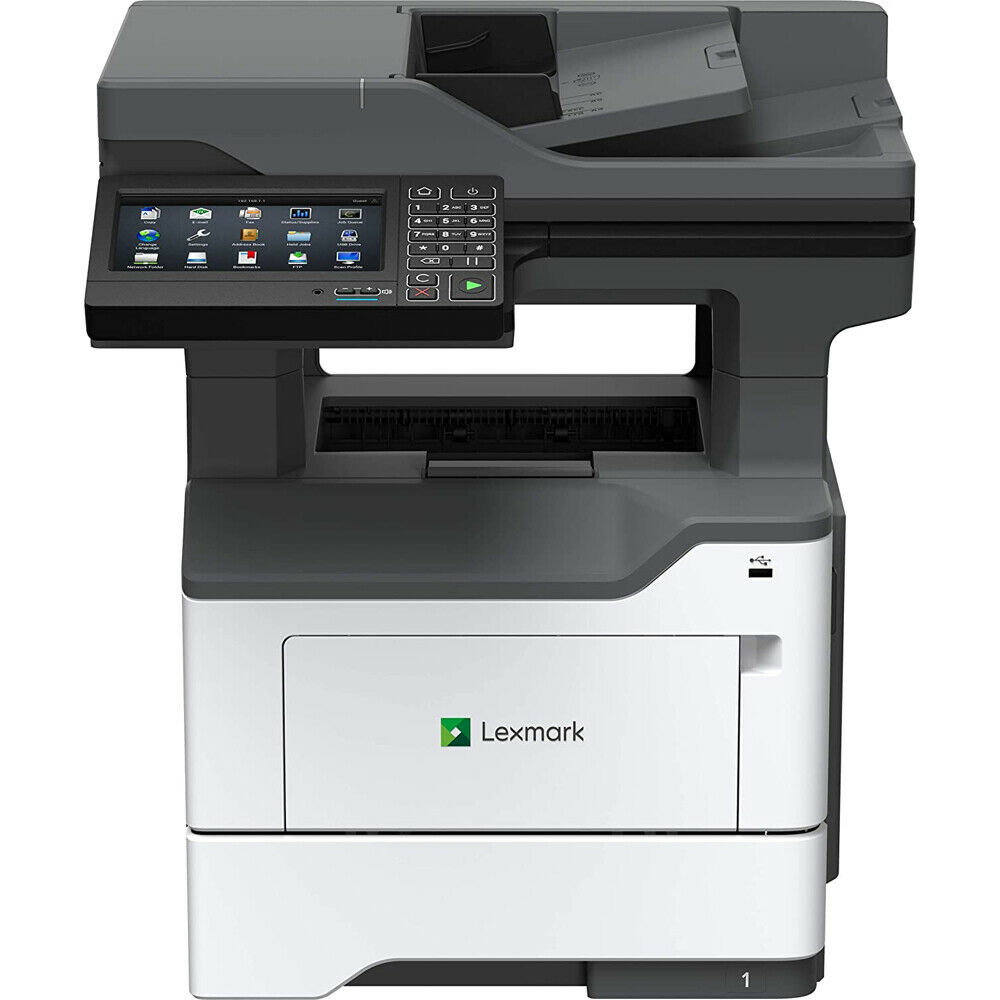

Images are for illustration purposes only and do not necessarily reflect the actual product.
Product Details
Specifications
Accessories
Reviews
Product Details
Main Features
- Black and white printer
- Functions: Copy, color scanning, printing, network scanning, faxing
- Double sided printing
- Print Speed: 47 pages per minute
- Standard Wi-Fi
- Enhanced security
- 17.8 cm tablet like color touch screen
- 2 GB of standard memory
- Media Sizes: A6, Oficio, 7 3/4 Envelope, 9 Envelope, JIS-B5, A4, Legal, A5, Letter, Statement, Executive, Universal, DL Envelope, Folio, 10 Envelope
Specifications
General Specifications
| Print Technology |
|
|---|---|
| Function |
|
| Workgroup Size |
|
| Display |
|
| Media Sizes Supported |
|
| Included Paper Handling |
|
| Standard Ports |
|
| Size (mm - H x W x D) |
|
| Weight |
|
| Packaged Size (mm - H x W x D) |
|
| Packaged Weight, kg |
|
Copying
| Copy Speed |
|
|---|---|
| Copy Speed Duplex |
|
| Time to First Copy |
|
| Reduce / Enlarge Range |
|
Faxing
| Modem Speed |
|
|---|---|
| Fax Transmission Speed |
|
Printing
| Print Speed |
|
|---|---|
| Print Speed Duplex |
|
| Time to First Page |
|
| Print Resolution |
|
| Duplex |
|
| Printable Area |
|
Scanning
| Scanner Type / ADF Scan |
|
|---|---|
| Scan Area |
|
| A4/Ltr Simplex Scan Speed |
|
| A4/Ltr Duplex Scan Speed |
|
| Scan Technology |
|
| Optical Scanning Resolution |
|
| Scan File Formats |
|
| Scan Destinations |
|
| ADF |
|
| ADF Paper Input Capacity / ADF Paper Output Capacity |
|
Paper Handling
| Media Types Supported |
|
|---|---|
| Finishing Option |
|
| Number of Paper Inputs |
|
| Paper Input Capacity |
|
| Paper Output Capacity |
|
| Paper Weight Range Supported |
|
| Optional Paper Handling |
|
| Recommended Monthly Page Volume |
|
| Maximum Monthly Duty Cycle |
|
Hardware
| Processor Speed |
|
|---|---|
| Memory |
|
| Hard Disk |
|
| Printer Languages |
|
| Fonts and Symbol Sets |
|
| Touch Screen Display |
|
Connectivity
| Direct USB |
|
|---|---|
| Ethernet Network |
|
| Wireless |
|
| Network Protocol Support |
|
| Network Printing Methods |
|
| Network Management Protocols |
|
| Network Security |
|
| Optional Local Ports |
|
Supported Operating Systems
| Microsoft Windows Operating Systems Supported |
|
|---|---|
| Apple Operating Systems Supported |
|
| Linux Operating Systems Supported |
|
| Citrix MetaFrame |
|
| Novell Operating Systems Supported |
|
| UNIX Operating Systems Supported |
|
Electrical & Operation
| ENERGY STAR |
|
|---|---|
| ENERGY STAR Typical Electricity Consumption |
|
| Noise level / Noise Level |
|
| Duplex Print Noise Level |
|
| Average Power |
|
| Specified Operating Environment |
|
| Product Certifications |
|
| UNSPSC Code |
|
| Country of Origin |
|
 Download Manufacturer Specifications
Accessories

Reviews


Preview and proofread your documents on the screen before sending them to print. This will save you a lot of paper and re-printing.
Printer not working? The printer memory could be full and not getting prints or the prints may be stuck in the print queue. Turn-off the printer, wait a few seconds and turn it back on.
Is your printer smearing immediately after changing a cartridge? Check that the protective tape over the nozzles is completely removed.
MY ACCOUNT
INFO & POLICIES
SHOP EASY
PAYMENT OPTIONS



* Images are for illustration purposes only.