



 Shopping Cart
 Kodak ScanStation 730EX+ Color Scanner
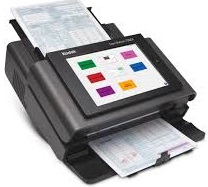


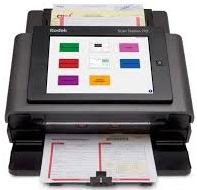

Images are for illustration purposes only and do not necessarily reflect the actual product.
Product Details
Specifications
Accessories
Reviews
Product Details
Main Features
- Recommended Daily Volume: Up to 6,000 pages per day
- Network scanner
- Easy to navigate touchscreen
- Scan to email
- Built in document viewer
- Multi feed detection
- Feeder holds upto 75 sheets of paper
Specifications
General Specifications
Key Specs
| Scanner Type | |
| Scanner Maximum Resolution | |
| Scanner Color Depth |
Scanner
| Type | |
| Maximum Resolution | |
| Scan Modes | |
| Color Depth | |
| Grayscale Depth | |
| Image Sensor | |
| Duplex Scanning | |
| Scan Speed | |
| File Formats |
Scanner Media Handling
| Scan Sizes | |
| Media Thickness | |
| Paper Capacity | |
| Media Weight | |
| Daily Life Expectancy | |
| Special Media Support |
Connectivity
| Data I/O | |
| Scanner Drivers | |
| OS Compatibility |
General
| Display Size | |
| Display Type | |
| Power Source | |
| Battery | |
| Input Power | |
| Power Consumption | |
| Operating Conditions | |
| Certifications | |
| Dimensions (W x H x D) | |
| Weight |
 Download Manufacturer Specifications
Accessories

Reviews


Color depth tells you the number of different colors that the scanner can record.
Because scans have two dimensions - height and width - the resolution of a scanner has two values, pixels per inch vertically and pixels per inch horizontally.
Bear in mind that in order to get the best quality, you should scan the original negative rather than the printed photo, if it's available.
MY ACCOUNT
INFO & POLICIES
SHOP EASY
PAYMENT OPTIONS



* Images are for illustration purposes only.