



 Shopping Cart
 Kodak ScanStation 730EX+ Color Scanner
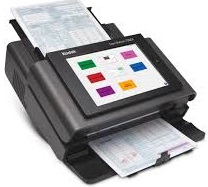



Images are for illustration purposes only and do not necessarily reflect the actual product.
Product Details
Specifications
Accessories
Reviews
Product Details
Main Features
- Recommended Daily Volume: Up to 6,000 pages per day
- Network scanner
- Easy to navigate touchscreen
- Scan to email
- Built in document viewer
- Multi feed detection
- Feeder holds upto 75 sheets of paper
Specifications
General Specifications
Key Specs
| Scanner Type | |
| Scanner Maximum Resolution | |
| Scanner Color Depth |
Scanner
| Type | |
| Maximum Resolution | |
| Scan Modes | |
| Color Depth | |
| Grayscale Depth | |
| Image Sensor | |
| Duplex Scanning | |
| Scan Speed | |
| File Formats |
Scanner Media Handling
| Scan Sizes | |
| Media Thickness | |
| Paper Capacity | |
| Media Weight | |
| Daily Life Expectancy | |
| Special Media Support |
Connectivity
| Data I/O | |
| Scanner Drivers | |
| OS Compatibility |
General
| Display Size | |
| Display Type | |
| Power Source | |
| Battery | |
| Input Power | |
| Power Consumption | |
| Operating Conditions | |
| Certifications | |
| Dimensions (W x H x D) | |
| Weight |
 Download Manufacturer Specifications
Accessories

Reviews


Clean your scanner glass every so often with a glass cleaner.
If you'll be happy with photo scans that can be viewed onscreen or reprinted at the same size, but with noticeable color shifts and loss of resolution, consider using an inexpensive sheet fed scanner.
Almost anything that speeds up scanning photos (other than buying a faster scanner) lowers the scan quality, so decide the level of quality you want, and then accept the amount of work that comes with it.
MY ACCOUNT
INFO & POLICIES
SHOP EASY
PAYMENT OPTIONS



* Images are for illustration purposes only.