



 Shopping Cart
 Kodak ScanStation 730EX+ Color Scanner
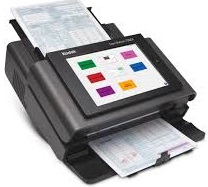


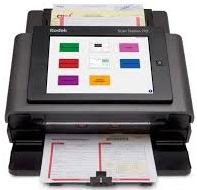

Images are for illustration purposes only and do not necessarily reflect the actual product.
Product Details
Specifications
Accessories
Reviews
Product Details
Main Features
- Recommended Daily Volume: Up to 6,000 pages per day
- Network scanner
- Easy to navigate touchscreen
- Scan to email
- Built in document viewer
- Multi feed detection
- Feeder holds upto 75 sheets of paper
Specifications
General Specifications
Key Specs
| Scanner Type | |
| Scanner Maximum Resolution | |
| Scanner Color Depth |
Scanner
| Type | |
| Maximum Resolution | |
| Scan Modes | |
| Color Depth | |
| Grayscale Depth | |
| Image Sensor | |
| Duplex Scanning | |
| Scan Speed | |
| File Formats |
Scanner Media Handling
| Scan Sizes | |
| Media Thickness | |
| Paper Capacity | |
| Media Weight | |
| Daily Life Expectancy | |
| Special Media Support |
Connectivity
| Data I/O | |
| Scanner Drivers | |
| OS Compatibility |
General
| Display Size | |
| Display Type | |
| Power Source | |
| Battery | |
| Input Power | |
| Power Consumption | |
| Operating Conditions | |
| Certifications | |
| Dimensions (W x H x D) | |
| Weight |
 Download Manufacturer Specifications
Accessories

Reviews


To get the best scan possible, make sure your scanner settings are set correctly for that particular image type e.g. colour or b/w.
A Twain driver will usually give you a lot more control over the scan settings than a WIA driver and better results even with the default settings.
Because scans have two dimensions - height and width - the resolution of a scanner has two values, pixels per inch vertically and pixels per inch horizontally.
MY ACCOUNT
INFO & POLICIES
SHOP EASY
PAYMENT OPTIONS



* Images are for illustration purposes only.