



 Shopping Cart



*** ALL TONERS AND SUPPLIES ARE IN STOCK AT DISCOUNTED PRICING , CALL +18882983095..
Printers do not include supplies - toners , drums (Imaging Units) (where applicable) , printer cables , manuals , consumables , trays (where applicable). Power cables are included. Drivers can be downloaded at www.hp.com. Please verify that drivers available are compatible with your software on HP’s site.
Product Details
Specifications
Accessories
Reviews
Product Details
Main Features
- Color output
- Copy, print and scan functions
- Mobile ready
- Print and Copy Speed: 25 pages per minute
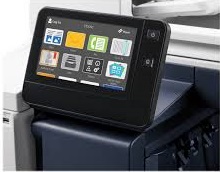
- 7 inch display
- A3 sized media
- USB port
- Wireless ready
- Automatic duplexing
Specifications
General Specifications
- Product Description Xerox VersaLink C7025/DM2 - multifunction printer - color
- Device Type Multifunction printer
- Printing Technology LED (color)
- Monthly Duty Cycle (max)107000 pages
- Recommended Monthly Volume 6250 pages
- Max Copying Speed Up to 25 ppm (mono) / up to 25 ppm (color)
- Max Copying Resolution Up to 600 x 600 dpi (mono) / up to 600 x 600 dpi (color)
- Max Copying Resolution Class Up to 600 x 600 dpi (mono) / up to 600 x 600 dpi (color)
- Max Printing Speed Up to 25 ppm (mono) / up to 25 ppm (color)
- Max Printing Resolution Up to 1200 x 2400 dpi (mono) / up to 1200 x 2400 dpi (color)
- Max Printing Resolution Class Up to 1200 x 2400 dpi (mono) / up to 1200 x 2400 dpi (color)
- Scanning 600 x 600 dpi
- Display 7"
- Original Size 13.07 in x 17.2 in (max)
- Original Type Sheets
- Document Feeder Capacity 110 sheets
- Media Size 3.5 in x 3.87 in (min) - A3 (11.7 in x 16.5 in), Ledger B Size (11 in x 17 in) (max)
- Media Type Envelopes, plain paper, labels, recycled paper, bond paper, card stock, extra heavy-weight paper, punched paper, preprinted paper
- Standard Media Capacity 620 sheets
- Max Media Capacity 4180 sheets
- Bypass Feeder Capacity 100 sheets
- Output Trays Capacity 500 sheets
- Automatic Duplexing Yes (copying) Yes (printing) Yes (scanning)
- Connection Availability Yes
- Interface Gigabit LAN, USB host, NFC, USB 3.0
- AirPrint Enabled Yes
- Office Machine Features Scan to e-mail, scan to network, scan to FTP, scan to SMB, scan to USB host, Billing Impression Mode (BIM) enabled
- Power AC 120 V (50/60Hz)
- Dimensions (WxDxH) 23.2 in x 26.4 in x 30.2 in
- Weight 147.71 lbs
- Pricing Type Xerox Metered Supplies Program
- Environmental Standards ENERGY STAR Qualified
Accessories

Reviews


Allow ink to dry completely to avoid smudging. The time will vary based on the ink and paper quality used as well as the temperature and humidity conditions.
If debris is the primary cause of failures, toner is the primary cause of debris. All toner cartridges release a small amount of toner powder into the machine. This is why it's important to clean the machine when you change the cartridge.
Paper jam? The best way to remove jammed paper is to gently pull the paper in the direction of the paper path - with power off, of course. Do not pull the paper backwards - you could damage your printer forever by doing so.
MY ACCOUNT
INFO & POLICIES
SHOP EASY
PAYMENT OPTIONS



